
This document introduces the basic connection and setting methods of the DVD recorder.
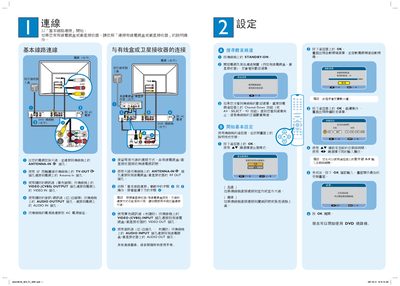
This guide explains how to connect the DVD player/burner to an antenna, cable TV, or satellite receiver using the ANTENNA‑IN, VIDEO, and AUDIO ports. It also covers basic wiring, power connection, and initial remote‑control setup.
After the hardware is installed, the manual describes how to set the date and time, choose recording modes, select recording length (30, 60 or 90 minutes), and operate playback functions such as play, pause, and stop. It includes quick‑start steps for recording TV programs and using the disc menu. This manual is written in Chinese.
Connect the antenna cable to the ANTENNA‑IN connector on the DVD player and to the RF OUT of the cable‑TV or satellite receiver.
Press the RECORD button, choose the desired recording length (30, 60, or 90 minutes), and follow the on‑screen prompts to begin recording.
Use the remote’s 4‑key function to access the date/time setting screen, then enter the current date and time with the numeric keys.