
Introduces the package contents of the external hard disk, how to use it, and how to dispose of old products
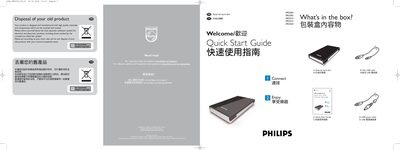
The guide provides an overview of the package contents – an external hard disk, a Mini‑USB cable, a USB power cable and a Quick Start Guide – and step‑by‑step instructions for connecting the disk to a computer. It explains how to use the Carry it Easy software for password protection and where to find the full manual on the drive.
Additional sections cover FCC compliance, troubleshooting when the disk is not recognized, and proper disposal of the product according to local electronic waste regulations. Warranty information is also referenced.
| Dimensions | approximate |
|---|
Connect the USB cable to the hard disk and an empty USB port on the computer; if the disk is not recognized, plug the additional USB power cable into another USB port.
The Carry it Easy software on the drive allows you to password‑protect files; launch it by double‑clicking CarryitEasy.exe.