
This is a user manual for the Casio EX-Z110 digital camera, which introduces the camera's basic functions, usage methods, and precautions.
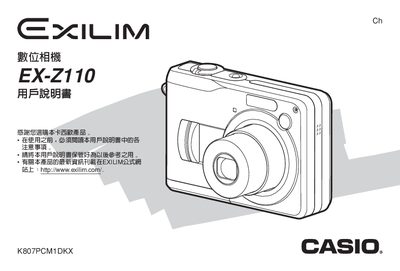
This manual covers everything needed to operate the Casio EX‑Z110 digital camera, from basic shooting techniques to advanced functions such as exposure compensation, white‑balance adjustment, and BEST SHOT modes. It also includes guidance on battery replacement, memory card usage, and connecting the camera to a computer.
Additional sections describe playback functions, printing options via PictBridge or USB, troubleshooting tips, and detailed technical specifications of the camera’s LCD, power requirements, and supported storage media.
| Display | 2.0" TFT color LCD, 84,960 pixels (354×240) |
|---|---|
| Power Input | DC 3 V via AC transformer |
| Battery | Two AA alkaline or rechargeable SANYO HR‑3U series (HR‑3UA/HR‑3UB/HR‑3UF) |
| Storage Media | SD memory card |
| CIPA Shooting Count | 180 – 660 shots depending on mode |
Open the battery compartment, remove the two AA cells, and insert new alkaline or compatible SANYO HR‑3U rechargeable batteries.
Use the USB 2.0 full‑speed port to transfer images; the camera is compatible with Windows operating systems as described in the PC connection section.
The EX‑Z110 uses standard SD memory cards for image storage.
It features a 2.0‑inch TFT color LCD with a resolution of 84,960 pixels (354 × 240).