
This is the Quick Installation Guide for Foxconn 748K7AA motherboard, which details the layout, interfaces, specifications, etc. of the motherboard.
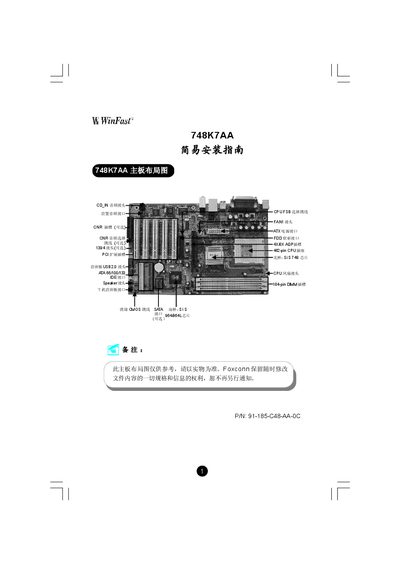
This guide provides a complete overview of the 748K7AA motherboard, including a layout diagram, back‑panel connector descriptions, and a list of items supplied with the board. Detailed instructions show how to connect power, front‑panel ports, USB headers, audio jacks, and optional SATA or FireWire cables.
The document also explains CMOS jumper settings, CPU and memory configuration, and how to load the BIOS default settings. Finally, it walks you through installing the WinFast driver CD and configuring the Realtek ALC655 audio chipset. This manual is written in Chinese.
| CPU Support | AMD K7 CPUs, FSB 200‑400 MHz |
|---|---|
| Memory Type | DDR 266/333/400 |
| Maximum Memory Capacity | 3 GB |
| Northbridge Chipset | SiS748 |
| Southbridge Chipset | SiS964/964L |
| DIMM Slots | 184‑pin DIMM |
| AGP Slot | 4X/8X AGP |
| PCI Slots | PCI expansion slots |
| SATA Interface | Optional SATA ports |
| Audio Chip | Realtek ALC655 (6‑channel) |
The board supports AMD K7 processors with front‑side bus speeds of 200 MHz, 266 MHz, 333 MHz, or 400 MHz.
Up to 3 GB of DDR memory can be installed, using 128 MB, 256 MB, 512 MB, or 1024 MB modules.