
Key facts
- Manuals
- 18
- Categories
- 3
- Languages
- ZH · EN
- Last added
- 2012-04-09
Featured WinFast manuals
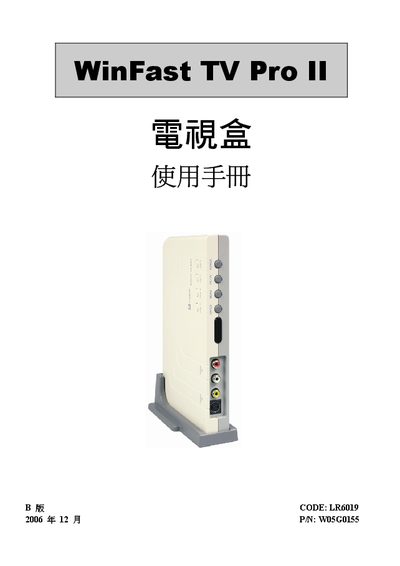
WinFast TV Pro II User Manual
This manual provides an overview of the WinFast TV Pro II TV box, including its high‑definition video capabilities, supported resolutions up to 1280 × 1024, and a range of AV inputs. It also lists the contents of the package and the system requirements needed for proper operation.
Detailed sections cover hardware installation, remote‑control functions, on‑screen menu settings such as aspect ratio, auto‑shutdown timer, channel editing, language selection, and favorite‑channel management, enabling users to fully configure the device for their viewing environment. This manual is written in Chinese.
Covers: Introduction · Hardware Installation · Operation Instructions · Remote Control Guide · Menu Settings · Screen Aspect Ratio
WinFast DTV User Manual
This manual provides operating instructions for the WinFast DTV television set. It covers the basic functions, remote‑control keys, and how to navigate menus and features.
Key sections describe picture‑in‑picture (PIP), picture‑on‑picture (POP), picture‑and‑picture (PAP), the electronic program guide (EPG), supported audio and video codecs, image formats, FM/DAB radio, teletext, and time‑shifting capabilities.
Covers: Features Overview · Picture‑in‑Picture (PIP) · Picture‑on‑Picture (POP) · Picture‑and‑Picture (PAP) · Electronic Program Guide (EPG) · Audio Formats (AC3/Dolby Digital)
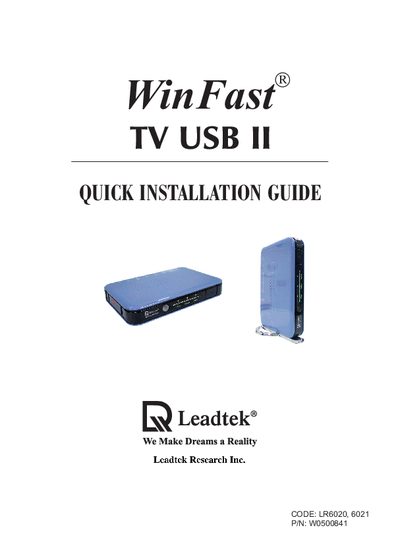
WinFast LR6020 LR6021 TV USB II Quick Installation Guide
This guide provides step‑by‑step instructions for connecting the WinFast TV USB II to a computer, selecting video sources, and configuring the required software. It also lists the supported operating systems and hardware requirements.
Key sections cover device connection, system requirements, driver installation, and contact information for technical support.
Covers: Connecting Devices · System Requirements · Installation Steps · Driver and Software Setup · Support and Contact Information
WinFast PVR2 User Manual
The WinFast PVR2 software provides a full multimedia experience, allowing users to watch digital and analog TV, listen to FM radio, record programs, and use dual‑screen modes such as PIP, POP and PAP. It also includes DirectBurn for instant VCD/DVD creation and supports HDTV, AC3 audio and various MPEG codecs.
This manual guides users through installation, initial startup, mode selection, remote‑control operation, keyboard shortcuts, channel scanning, EPG usage, audio/video settings, and recording functions. Each section includes step‑by‑step instructions and screen‑shot references to help users get the most out of the application. This manual is written in Chinese.
Covers: Installation and Startup · Mode Overview (TV, FM, Time‑Shift) · Remote Control Functions · Keyboard Shortcuts · Recording and DirectBurn · EPG and Channel Scanning
Latest WinFast manuals
WinFast 9100AX/9200AX Socket 370 system board Manual
This is a technical manual about how to use Google Cloud
WinFast 7300K7 Manual
WinFast 7300K7 User Manual, introduces the features and characteristics of the product, such as overview, photos, features, package contents, specifications, jumpers/connectors position and description, CPU settings, hardware settings, BIOS settings, etc.
WinFast 6300MAX/MA Pro Socket 370 system board Manual
WinFast 6300MAX/MA Pro motherboard uses Socket 370 interface, supports Pentium II/III processors, memory supports dual-channel DDR SDRAM, maximum supports 1GB capacity.
WinFast 5300MA Manual
This document is about a product, which is xxx brand product, model xxx. The product has xxx, xxx features.
WinFast K7N415DA/420DA Socket A Motherboard user manual
This document introduces the features and characteristics of the Leadtek K7N415DA/420DA motherboard
winfast P4I845G/GL Socket 478 Motherboard User Manual
This document is the user manual for the P4I845G/GL Socket 478 motherboard, which provides information on the specifications and usage of the motherboard.
WinFast 756K8AA Motherboard quick Installation Guide
WinFast P4I845D Socket478 Motherboard User's Manual
This document is the user manual for the P4I845D Socket 478 motherboard. It provides information on the specifications and package content of the motherboard, as well as a quick setup guide.
winfast K8N/K8N Pro Socket 754 Motherboards User Manual
K8N/K8N Pro Socket 754 Motherboards User's Manual
WinFast TV Pro II User Manual
User Manual 17 pages · 649 KB · ZHThe WinFast TV Pro II user manual explains setup, hardware connections, operation, and menu configuration for the TV box.
WinFast DTV User Manual
User Manual 21 pages · 15.8 MB · ENThe WinFast DTV User Manual explains TV features such as picture‑in‑picture, picture‑on‑picture, electronic program guide, Dolby Digital audio, and…
WinFast LR6020 LR6021 TV USB II Quick Installation Guide
Quick Start Guide 6 pages · 1.9 MB · ENQuick installation guide for the WinFast LR6020/LR6021 TV USB II video capture device.
WinFast PVR2 User Manual
User Manual 37 pages · 6.1 MB · ZHThe WinFast PVR2 User Manual explains how to install, configure, and operate the PVR2 multimedia software, covering TV, FM, recording and dual‑screen features.
WinFast LR 66xx Digital TV Card Quick Installation Guide
Quick Start Guide 10 pages · 1.3 MB · ENStep‑by‑step instructions for installing the WinFast LR 66xx digital TV card and its drivers.
WinFast C210 Television Card Installation Guide
Installation Guide 4 pages · 1.3 MB · ZHInstallation guide with step‑by‑step instructions, driver setup, and component installation for the WinFast C210 TV card.
Which document do I need?
User Manual
Day-to-day operation, settings and troubleshooting. Start here if the product is already set up.
Quick Start Guide
The shortest path to a working setup, usually only a few pages.
Installation Guide
Mounting, wiring and first power-up. Read it before the hardware goes in.
Questions answered in WinFast manuals
How can I set the auto power‑off timer?
Use the VOL button to select the auto‑shutdown time; options range from 10 to 90 minutes.
How do I activate picture‑in‑picture (PIP)?
Press the PIP key on the remote control to enable picture‑in‑picture mode.
From: WinFast DTV User Manual
Which audio format provides Dolby Digital sound?
The DTV supports AC3, which is Dolby Digital audio.
From: WinFast DTV User Manual
How do I switch to TV mode?
Press the signal‑source switch key to enter TV mode.
From: WinFast PVR2 User Manual
How can I start time‑shift playback?
While in TV mode, press the Time‑Shift button to enter time‑shift playback mode.
From: WinFast PVR2 User Manual
How do I start the installation of the WinFast C210?
Run the InstallShield Wizard and follow the prompts until the installation finishes.