
Key facts
- Manuals
- 1,268
- Models
- 354
- Categories
- 6
- Languages
- ZH · EN
- Last added
- 2026-10-03
ASRock models by category
Featured ASRock manuals
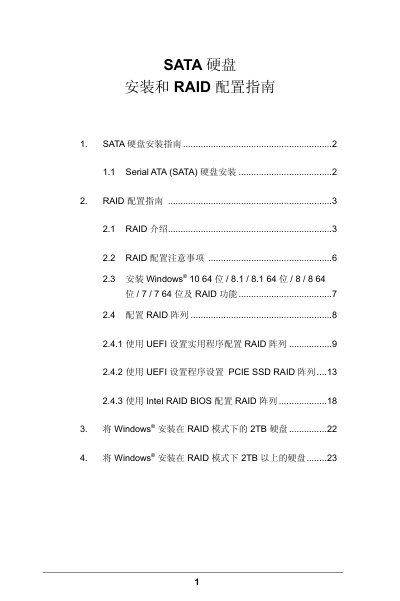
ASRock SATA Hard Drive Installation and RAID Configuration Guide
This guide explains how to physically install Serial ATA (SATA) hard drives on an ASRock motherboard and how to configure various RAID levels using the UEFI utility or Intel RAID BIOS. It covers RAID basics, required drive numbers, BIOS settings, and Windows installation procedures for RAID‑enabled systems.
The document also provides detailed precautions, such as using identical drives for optimal performance, backing up data before creating arrays, and special steps for installing Windows on drives larger than 2 TB, including required hot‑fixes. This manual is written in Chinese.
Covers: SATA Hard Drive Installation · RAID Introduction · RAID Configuration Precautions · Supported RAID Levels · Configuring RAID with UEFI Utility · Configuring RAID with Intel RAID BIOS
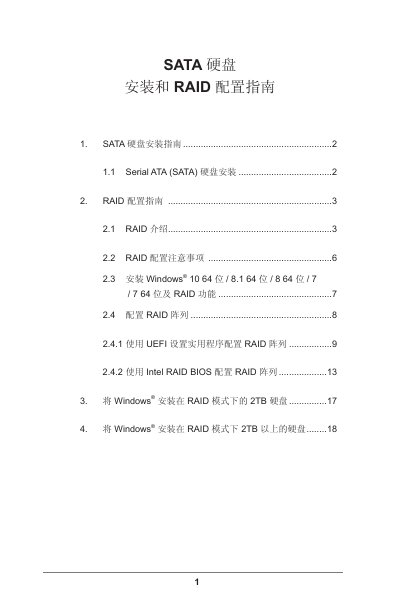
ASRock SATA Hard Drive Installation and RAID Configuration Guide
This guide explains how to install Serial ATA (SATA) hard drives on ASRock motherboards and set up various RAID levels, including RAID 0, RAID 1, RAID 5, RAID 10 and Intel Rapid Storage Technology. It covers hardware preparation, BIOS/UEFI settings, and driver installation.
The document also provides detailed instructions for installing Windows (7, 8, 8.1, 10) on RAID arrays, handling drives larger than 2 TB, and troubleshooting common issues such as hot‑fix requirements and data backup before RAID creation. This manual is written in Chinese.
Covers: SATA Hard Drive Installation Guide · RAID Configuration Guide · RAID Overview · RAID Configuration Considerations · Installing Windows with RAID · Configuring RAID Array
ASRock 990FX Extreme4 Motherboard User Manual
This manual covers everything needed to install, configure, and operate the ASRock 990FX Extreme4 ATX motherboard. It includes a step‑by‑step hardware installation guide, BIOS setup instructions, driver installation procedures, and troubleshooting tips.
Key features include support for AMD AM3+ and AM3 CPUs (up to 8 cores and 140 W), four DDR3 DIMM slots for up to 32 GB of memory, three PCI Express 2.0 x16 slots, eight SATA 3 Gb/s connectors, USB 3.0 and USB 2.0 ports, a Gigabit LAN controller, and Realtek 7.1‑channel audio.
Covers: Introduction · Package Contents · Specifications · Motherboard Layout · I/O Panel · Rear Panel I/O
ASRock IMB-770 Motherboard User Manual
This manual introduces the ASRock IMB-770 ATX motherboard, its package contents, key specifications, and layout of connectors and slots. It guides users through hardware installation, memory module placement, jumper settings, and SATA/USB connections.
The UEFI Setup Utility chapter explains how to navigate BIOS menus, configure CPU, chipset, storage, and security options, and install operating systems using the provided support CD. Contact information and driver utilities are also included.
Covers: Introduction · Package Contents · Specifications · Motherboard Layout · Installation · UEFI Setup Utility
Latest ASRock manuals
ASRock SATA Hard Drive Installation and RAID Configuration Guide
Installation Guide 25 pages · 1.1 MB · ZHStep‑by‑step instructions for installing SATA drives and setting up RAID 0, 1, 5, 10, or Intel Rapid Storage on ASRock motherboards.
ASRock SATA Hard Drive Installation and RAID Configuration Guide
Installation Guide 20 pages · 653 KB · ZHStep‑by‑step guide for installing SATA drives and configuring RAID on ASRock motherboards.
ASRock 990FX Extreme4 Motherboard User Manual
User Manual 281 pages · 6.5 MB · ENThe ASRock 990FX Extreme4 Motherboard User Manual provides installation instructions, specifications, and usage details for the ATX motherboard.
ASRock IMB-770 Motherboard User Manual
User Manual 46 pages · 640 KB · ENThe ASRock IMB-770 motherboard user manual provides installation steps, BIOS configuration, specifications, and software support details.
ASRock 775XFire-VSTA Motherboard Quick Installation Guide
Installation Guide 197 pages · 3.5 MB · ENThe ASRock 775XFire-VSTA Motherboard Quick Installation Guide provides layout, connector details, installation steps, and safety precautions.
ASRock IMB-161-D Motherboard
Socket LGA1155 for Intel Core i7/i5/i3/Celeron (Ivy Bridge and Sandy Bridge) Intel
ASRock IMB-171-D Motherboard
Socket LGA1155 for Intel Core i7/i5/i3/Celeron (Ivy Bridge and Sandy Bridge) Intel
ASRock IMB-370-D Motherboard
Socket LGA1155 for Intel Core i7/i5/i3/Celeron (Ivy Bridge and Sandy Bridge) Intel
ASRock IMB-171-L Motherboard
Socket LGA1155 for Intel Core i7/i5/i3/Celeron (Ivy Bridge and Sandy Bridge) Intel
ASRock IMB-370-L Motherboard
Socket LGA1155 for Intel Core i7/i5/i3/Celeron (Ivy Bridge and Sandy Bridge) Intel
ASRock IMB-170 Motherboard
Socket G2 (rPGA988B) for Intel Core i7/i5/i3/Celeron (Ivy Bridge and Sandy Bridge) Intel
ASRock IMB-781 Motherboard
Socket LGA1150 for Intel Core i7/i5/i3/Celeron (Haswell) Intel
ASRock IMB-161-L Motherboard
Socket LGA1155 for Intel Core i7/i5/i3/Celeron (Ivy Bridge and Sandy Bridge) Intel
ASRock IMB-380-D Motherboard
Socket LGA1150 for Intel Core i7/i5/i3/Celeron (Haswell) Intel
ASRock IMB-780 Motherboard
Detailed information about the ASRock IMB-780 motherboard, including processor, memory, expansion slots, network interface and other information.
Which document do I need?
Installation Guide
Mounting, wiring and first power-up. Read it before the hardware goes in.
User Manual
Day-to-day operation, settings and troubleshooting. Start here if the product is already set up.
Questions answered in ASRock manuals
Which RAID levels can be configured on an ASRock motherboard?
The motherboard supports RAID 0, RAID 1, RAID 5, RAID 10, and Intel Rapid Storage Technology.
From: ASRock SATA Hard Drive Installation and RAID Configuration Guide
How many drives are required for a RAID 5 array?
RAID 5 requires at least three identical hard drives.
From: ASRock SATA Hard Drive Installation and RAID Configuration Guide
How do I set the SATA mode to RAID in the BIOS?
Enter the BIOS by pressing <F2> at startup, go to Advanced Storage Device Configuration, set the SATA mode option to [RAID], and press <F10> to save the changes.
From: ASRock SATA Hard Drive Installation and RAID Configuration Guide
What RAID levels are supported on this ASRock motherboard?
The motherboard supports RAID 0, RAID 1, RAID 5, RAID 10 and Intel Rapid Storage Technology.
From: ASRock SATA Hard Drive Installation and RAID Configuration Guide
How many USB 3.0 ports does the motherboard have?
It provides two Ready‑to‑Use USB 3.0 ports.
What CPU socket is supported by the motherboard?
The board supports Socket AM3+ (and AM3) processors.