
Key facts
- Brand
- Yamaha
- Model
- PJP-25UR
- Category
- Communications equipment
- Industry
- Electronics
- Documents
- 2
- Languages
- EN · JA
- Last added
- 2012-05-05
Start here
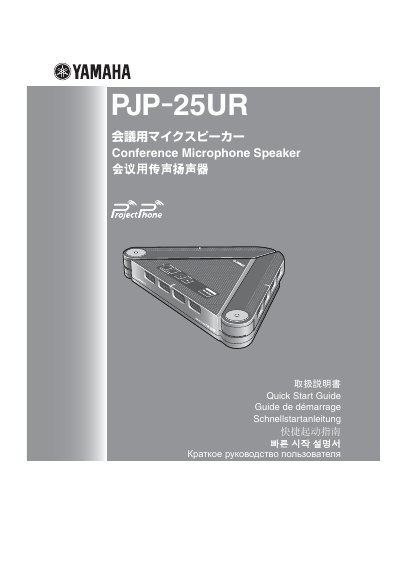
Yamaha PJP-25UR Conference Microphone Speaker Quick Start Guide
This quick start guide explains how to set up and use the Yamaha PJP-25UR conference microphone speaker. The device connects to a computer via USB and functions as a microphone and speaker for voice conferences.
The guide includes package contents, safety warnings, usage precautions, regulatory compliance information (VCCI Class B, JIS standards), and trademark notices. It is provided in multiple languages including Japanese, English, French, German, Chinese, Korean, and Russian. This manual is written in Japanese.
Yamaha PJP-25UR specifications
| Interface | USB 2.0 (full), Analog I/O (stereo‑mini), 4 units x 3 lines |
|---|---|
| Operating temperature | 0 to 40 °C (32 to 104 °F) |
| Humidity range | 20 % to 85 % |
| Dimensions (W × H × D) | 229 mm × 34 mm × 152 mm |
| Power source | USB bus power, Self power |
| Operating system requirement | Windows Vista, XP Professional/Home, or 2000 |
| CPU requirement | 750 MHz or higher (Intel Pentium/Celeron equivalent) |
Source: Yamaha PJP-25UR Conference Microphone Speaker User Manual
All Yamaha PJP-25UR documents by type
Day-to-day operation, settings and troubleshooting. Start here if the product is already set up.
The shortest path to a working setup, usually only a few pages.
Questions answered in these manuals
How do I connect the PJP-25UR to a computer?
Use the supplied USB cable to connect the unit directly to a USB 1.1 or later port; the driver installs automatically.
From: Yamaha PJP-25UR Conference Microphone Speaker User Manual
How can I mute the microphone on the PJP-25UR?
Press the MIC MUTE button to temporarily turn off the microphones; press it again to unmute.
From: Yamaha PJP-25UR Conference Microphone Speaker User Manual
What is included in the box?
The package contains the PJP-25UR unit, quick start guide, USB cable, warranty card, and CD-ROM.
From: Yamaha PJP-25UR Conference Microphone Speaker Quick Start Guide
How do I connect the device to a computer?
Connect the PJP-25UR to a computer using the supplied USB cable; it then functions as a conference microphone speaker.
From: Yamaha PJP-25UR Conference Microphone Speaker Quick Start Guide