
Key facts
- Brand
- testo
- Model
- 510i
- Category
- Monitoring Equipment
- Industry
- Electronics
- Documents
- 2
- Languages
- EN · ZH
- Last added
- 2026-11-17
Start here
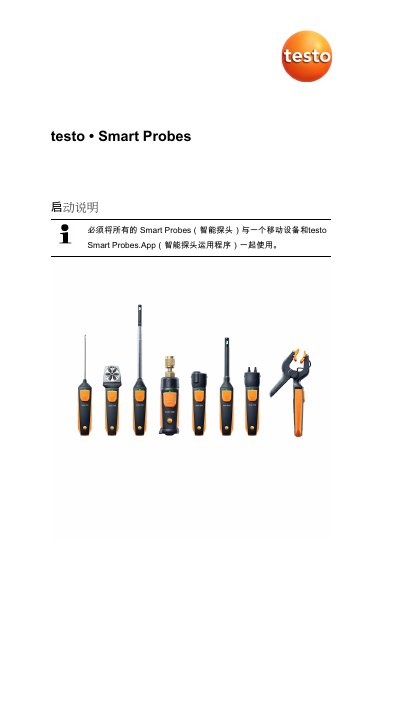
Testo 510i 549i 805i Smart Probes Startup Instructions
This startup guide covers the Testo 510i, 549i and 805i Smart Probes. It gives model-specific safety notes and basic steps for switching the probes on and off.
The document also explains the required Testo Smart Probes app, Bluetooth connection requirements, LED status indications and automatic transfer of measurement values to a mobile device. This manual is written in Chinese.
testo 510i specifications
| Measurement range (testo 549i) | 0 to 60 bar |
|---|---|
| Bluetooth version | 4.0 |
| Android compatibility | Android 4.3 or higher |
Source: Testo 510i 549i 805i Smart Probes Startup Instructions
All testo 510i documents by type
Day-to-day operation, settings and troubleshooting. Start here if the product is already set up.
The shortest path to a working setup, usually only a few pages.
Questions answered in these manuals
How do I switch off the Smart Probe?
Press and hold the button on the Smart Probe.
From: testo 510i Smart Probes Pressure Gauge Instruction Manual
What does a flashing red LED indicate?
It indicates a low battery status.
From: testo 510i Smart Probes Pressure Gauge Instruction Manual
How are the Smart Probes switched on?
Press the button; the Smart Probe is switched on. For the Testo 549i, first remove the film from the battery compartment.
From: Testo 510i 549i 805i Smart Probes Startup Instructions
How do I switch off the Smart Probes?
Press and hold the button; the Smart Probes switch off.
From: Testo 510i 549i 805i Smart Probes Startup Instructions