
Key facts
- Brand
- testo
- Model
- 890
- Category
- Monitoring Equipment
- Industry
- Electronics
- Documents
- 4
- Languages
- EN · ZH · ES
- Last added
- 2026-11-10
Start here
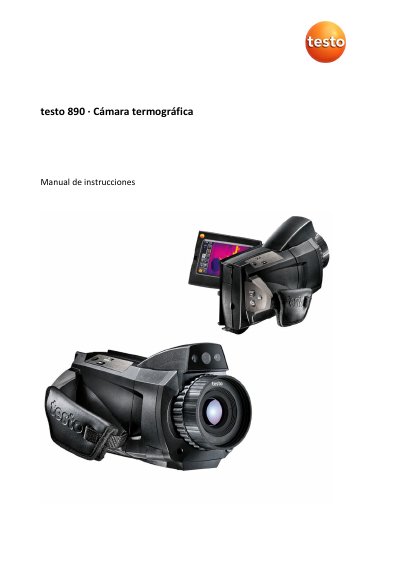
testo 890 Thermal Imager User Manual
The testo 890 is a robust and easy-to-handle thermal imaging camera designed for the graphical determination and representation of temperature distribution on surfaces without contact. Common applications include building inspection for energy evaluation, heating, ventilation, and air conditioning systems, as well as preventive maintenance inspections of mechanical and electrical equipment. The device supports various optional features such as telephoto lenses, humidity visualization, and process analysis packages. This manual is written in Spanish.
Read onlineTesto 890 specifications
| Infrared resolution | 640 x 480 pixels; SuperResolution to 1280 x 960 pixels |
|---|---|
| Thermal sensitivity | < 40 mK |
| High temperature measurement | Up to 1,200 °C |
| Operating time | 4.5 hours |
| Weight | 1630 g |
All Testo 890 documents by type
Ratings, dimensions and ordering codes, for selection and design work.
Day-to-day operation, settings and troubleshooting. Start here if the product is already set up.
Questions answered in these manuals
What is the infrared resolution of the Testo 890?
The Testo 890 has an infrared resolution of 640 x 480 pixels, and SuperResolution technology can extend it to 1280 x 960 pixels.
What is the thermal sensitivity of the Testo 890?
The thermal sensitivity is less than 40 mK.
What is the infrared resolution of the testo 883?
The testo 883 has an infrared resolution of 320 x 240 pixels, with Super infrared super-resolution up to 640 x 480 pixels.
From: Testo 865/868/869/871/872/883/890 Thermal Imager Product Manual
What is the NETD of the testo 883?
The testo 883 has a thermal sensitivity (NETD) of less than 40 mK.
From: Testo 865/868/869/871/872/883/890 Thermal Imager Product Manual
What should I do if the display shows an error message saying 'No storage card inserted'?
Check if the storage card is inserted or if it is faulty.
What if the screen shows '---' or '+++'?
The measurement value is out of range. Change the measurement range.