
Key facts
- Brand
- testo
- Model
- Comfort Software Basic 5
- Category
- Other Electronics
- Documents
- 3
- Languages
- ES · EN
- Last added
- 2023-10-17
Start here
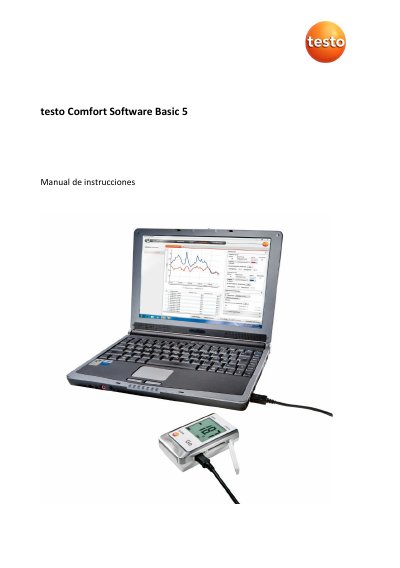
Testo Comfort Software Basic 5 User Manual
This manual provides step-by-step instructions for installing, configuring, and using Testo Comfort Software Basic 5 to read and analyze measurement data from Testo data loggers. It covers system requirements, connecting devices via USB, setting preferences, and exporting data. The software supports Windows 10 and 11 and requires USB 2.0 or higher.
The manual also includes troubleshooting tips for common errors, such as device connection issues or invalid file names, and explains how to manage instrument settings and view measurement data in graphical or tabular formats. This manual is written in Spanish.
testo Comfort Software Basic 5 specifications
| Operating Systems | Windows® 10, Windows® 11 |
|---|---|
| USB Interface | USB 2.0 or higher |
| Browser Requirement | Internet Explorer 9.0 or higher |
All testo Comfort Software Basic 5 documents by type
Day-to-day operation, settings and troubleshooting. Start here if the product is already set up.
Questions answered in these manuals
What is the main function of the testo Comfort Software Basic 5?
The main function is the graphical representation of measurement values.
Which Windows operating systems does the software support?
It supports Windows® 10 and Windows® 11.
What is the default password for the software?
If you have not yet issued an individual password, enter 'testo'.
How do I resolve the issue if the instrument does not respond?
Check if the instrument is switched on, check the connecting cable, ensure it is supplied with power, and verify the COM port connection.
What is the purpose of the testo Comfort Software Basic 5?
The software serves the purpose of saving, reading out and analysing individual readings and measurement series, with graphical presentation as the main task.
What should I do if the instrument does not respond?
Check if the instrument is switched on, verify the connecting cable, ensure it is supplied with power, and confirm it is connected to the right COM port.