
Key facts
- Brand
- SIRIUS
- Model
- SC-FM1
- Industry
- Electronics
- Documents
- 2
- Languages
- EN
- Last added
- 2012-07-06
Start here
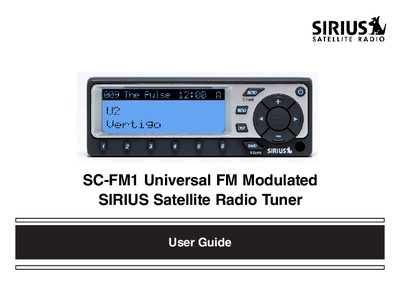
SIRIUS SC-FM1 Universal FM Modulated Satellite Radio Tuner User Guide
The SIRIUS SC-FM1 is a satellite radio tuner designed to play digital entertainment in your vehicle. This guide covers basic operations such as changing channels, searching for content by category or artist, and using direct tuning via the remote control.
Advanced features include setting channel presets (A through E), storing song titles and sports games in memory, and utilizing time-based functions like alarms and sleep mode. The document also details how to activate your subscription and provides troubleshooting tips.
SIRIUS SC-FM1 specifications
| Power Requirement | 12 volt DC negative ground |
|---|---|
| Power Source | Switched +12 volt ignition circuit |
| Antenna Location | Roof of the vehicle |
| Antenna Clearance | 12 inches by 12 inches |
Source: SIRIUS SC-FM1 Universal FM Modulated Satellite Radio Tuner Installation Guide
All SIRIUS SC-FM1 documents by type
Day-to-day operation, settings and troubleshooting. Start here if the product is already set up.
Mounting, wiring and first power-up. Read it before the hardware goes in.
Questions answered in these manuals
Is professional installation recommended?
Yes, professional installation is recommended by SIRIUS to avoid personal injury or damage to vehicle systems.
From: SIRIUS SC-FM1 Universal FM Modulated Satellite Radio Tuner Installation Guide
Where should the tuner be installed?
The tuner must be installed inside the passenger compartment, free from moisture and protected from weather elements.
From: SIRIUS SC-FM1 Universal FM Modulated Satellite Radio Tuner Installation Guide
How do I install batteries in the remote?
Remove the battery cover, install a CR2025 battery with the positive side up, and replace the cover.
From: SIRIUS SC-FM1 Universal FM Modulated Satellite Radio Tuner User Guide
How do I switch between preset banks?
Press and release the BAND button to cycle through the five preset banks (A through E).
From: SIRIUS SC-FM1 Universal FM Modulated Satellite Radio Tuner User Guide