
Sirius XM Radio Inc. XMp3i PowerConnect Vehicle Kit User Guide

This manual introduces how to connect your Sirius Satellite Radio to your vehicle's FM radio.
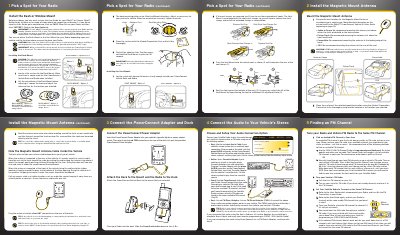

Sirius XM Radio Inc. XMp3i PowerConnect Vehicle Kit User Guide - cover page
Brand
SIRIUS
Category
Car Speakers
Document type
User Manual
Language
English
Pages
2
File format
PDF
File size
2.6 MB
Published
06 July, 2012
Updated
30 September, 2023
Model
XMP3I
MD5 checksum
3295C4FA7651AF4F92B1734E152817E2

About this manual

This guide provides step-by-step installation instructions for the Sirius XM Radio Inc. XMp3i PowerConnect Vehicle Kit (Model XMP3IVKQSG110). It covers two primary mounting options: a Dash Mount and a Vent Mount, detailing how to position the mount, route the antenna cable, and secure the dock to the vehicle.

What's inside

  • Pick a Spot for Your Radio
  • Install the Dash or Window Mount
  • Connect the PowerConnect Adapter and Dock
  • Attach the Dock to the Mount and the Radio
  • Connect the Audio to Your Vehicle's Stereo
  • Install the Magnetic Mount Antenna
  • Finding an FM Channel

Specifications

Software Version Requirement1. 19 or later
Antenna Connection ColorSilver
Power Connector ColorRed

Frequently asked questions

What is the minimum software version required for this kit?

The radio must be running Software Version 1.19 or later.

How long should I wait before using the Dash Mount after installation?

You must allow at least 24 hours for the adhesive to cure.

Download PDF (2.6 MB)

More SIRIUS Manuals


View all SIRIUS manuals →