
This document provides instructions and suggestions for installing an indoor/outdoor home antenna, including experimenting with antenna placement and aiming for optimal reception.
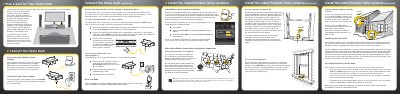
This document is a Quick Start Guide for the SIRIUS XM Additional Home Kit (model XMP3iHK). It details the setup process for the Home Dock, which allows users to listen to satellite radio on their XMp3i or Pioneer XMp3 radio from a fixed location. The guide covers selecting a location for the dock, connecting the power adapter, and linking the dock to an audio system via a stereo system or powered speakers.
| Compatible Radios | XMp3i or Pioneer XMp3 Radio |
|---|---|
| Audio Input | AUX In or LINE In |
| Connector Type | 1/8" (3.5 mm) |
Choose a location close to your stereo system or powered speakers where the antenna cable can reach, ensuring good visibility of the display and avoiding direct sunlight.
Connect the 1/8" connector to the green AUDIO port on the dock, then plug the white and red ends into the AUX In or LINE In jacks on your stereo.
Move the antenna closer to a window facing south, place it outdoors for a clear view of the southern sky, or adjust the antenna angle while monitoring signal strength.