
Key facts
- Brand
- SIRIUS
- Model
- STILETTO 100
- Category
- Other Electronics
- Documents
- 3
- Languages
- EN
- Last added
- 2012-07-06
Start here
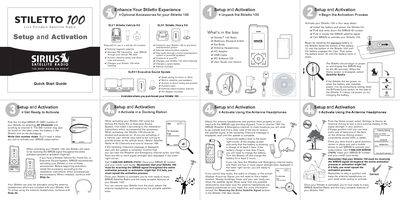
Sirius Stiletto 100 Quick Start Guide
This document provides instructions for setting up and activating the Sirius Stiletto 100 Live Portable Satellite Radio. It details how to find the device's unique ID number, choose between activating via a docking station or antenna headphones, and complete the subscription activation process by calling customer service.
The guide also explains basic operations including using Internet Radio, accessing the Library of saved content, playing Radio Replays, and managing recordings via the Love button. It includes descriptions of physical controls such as the Power/Lock switch, Media Dial, and Select button.
All SIRIUS STILETTO 100 documents by type
Day-to-day operation, settings and troubleshooting. Start here if the product is already set up.
The shortest path to a working setup, usually only a few pages.
Questions answered in these manuals
What operating system is required for the My Sirius Studio software?
The software requires a PC computer running the Windows XP operating system with Service Pack 2.
How should I handle liquid crystal fluid if it leaks from the screen?
Wipe skin with a cloth and wash thoroughly; flush eyes with water for at least 15 minutes.
What operating system is required for the My Sirius Studio software?
The software requires a PC computer running the Windows XP operating system with Service Pack 2.
Can I use the Stiletto 100 while driving?
No, the manual advises not to operate the unit in a way that might divert attention from driving safely.
What is the phone number to activate the device?
Call 1-888-539-SIRIUS (7474) with your SIRIUS ID and credit card.
How long does the Stiletto 100 display the Sirius dog logo when it first powers on?
The device displays the Sirius dog logo for 40-60 seconds after the battery is installed.