
Key facts
- Brand
- Roland
- Model
- CD-2
- Documents
- 2
- Languages
- EN
- Last added
- 2012-08-10
Start here
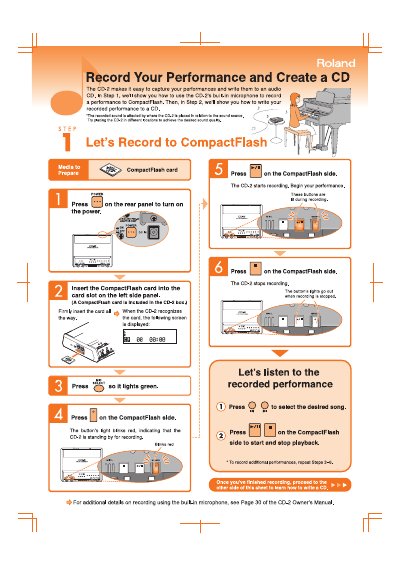
Roland CD-2 Quick Start Guide
Quick Start Guide 2 pages · 2.2 MB · EN
This document provides a quick start guide for the Roland CD-2, a device designed to record performances and create audio CDs. It explains how to use the built-in microphone to record audio to a CompactFlash card and how to transfer these recordings to a CD-R disc.
Read onlineAll Roland CD-2 documents by type
User Manual 2
Day-to-day operation, settings and troubleshooting. Start here if the product is already set up.
Quick Start Guide 1
The shortest path to a working setup, usually only a few pages.
Questions answered in these manuals
How do you turn on the CD-2?
Press the power button on the rear panel to turn on the device.
How do you start recording a performance?
Press the record button on the CompactFlash side to begin recording.