
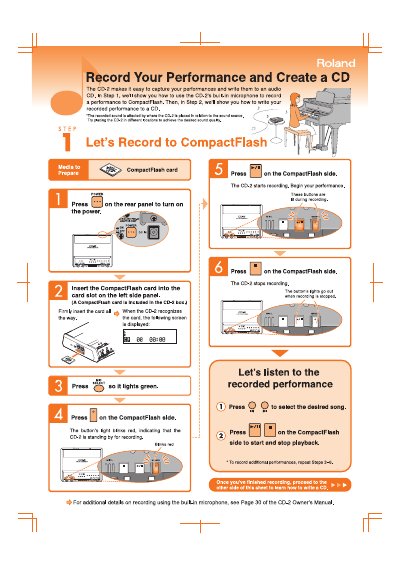
This document provides a quick start guide for the Roland CD-2, a device designed to record performances and create audio CDs. It explains how to use the built-in microphone to record audio to a CompactFlash card and how to transfer these recordings to a CD-R disc.
Press the power button on the rear panel to turn on the device.
Press the record button on the CompactFlash side to begin recording.
Press the record button on the CompactFlash side to stop recording.