
Key facts
- Brand
- Roland
- Model
- A-30
- Category
- Musical instruments
- Industry
- Electronics
- Documents
- 5
- Languages
- EN
- Last added
- 2012-08-10
Start here
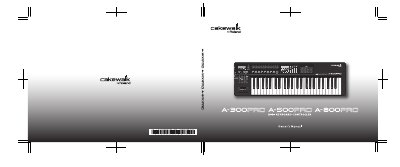
Roland A-300PRO/500PRO/800PRO MIDI Keyboard Controller Owner's Manual
This document serves as the Owner's Manual for the Roland A-300PRO, A-500PRO, and A-800PRO MIDI keyboard controllers. It details the contents of the package, including the controller, drivers, and software, and provides instructions for connecting the unit to a computer via USB.
The manual includes essential safety information regarding fire, electric shock, and injury prevention. It outlines proper placement, ventilation requirements, and handling procedures for the AC adaptor and power cord to ensure safe operation.
Roland A-30 specifications
| Memory patches | 82 |
|---|---|
| Variation bank select | CC 00 and CC 32 |
| Volume control message | Control Volume Change Message (CC-7) when the Data Entry potentiometer is on |
| Keyboard transposition | one octave up or one octave down |
| MIDI sockets | Rear panel MIDI sockets |
| Power | External AC adaptor socket |
All Roland A-30 documents by type
Day-to-day operation, settings and troubleshooting. Start here if the product is already set up.
Questions answered in these manuals
What is the primary function of the UA-30?
It is a USB Audio Interface.
Can I record guitar or vocals with this unit?
Yes, you can record line inputs such as guitars or vocals.
What is the function of the Music Style/Tone Select button?
It is used to select a tone for each part from the sequencer or the front panel.
How do you start the Music Style performance?
You start the performance by sending chord messages to the unit, which triggers the Sync Start function.
Which control map is used for Logic Pro?
Control map number 8 is used for Logic Pro.
Which control map is used for GarageBand?
Control map number 15 is used for GarageBand.