
Key facts
- Manuals
- 438
- Models
- 38
- Categories
- 2
- Languages
- EN · JA
- Last added
- 2026-09-29
Roland models by category
Featured Roland manuals
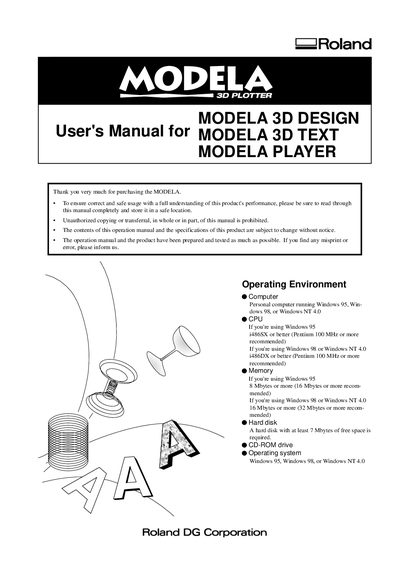
Roland MODELA 3D DESIGN User Manual
This manual describes the operating environment, installation procedure, and basic operation of the MODELA 3D DESIGN software that creates 3‑D cutting data for the Roland MDX‑3 machine. It covers the required computer specifications, how to start the software, and the workflow for creating, checking, and saving cutting data.
Additional sections explain the use of MODELA 3D TEXT, the 2.5D DRIVER, and detailed troubleshooting steps for common issues such as memory errors, driver configuration, and hardware connection problems.
Covers: Overview · Operating Environment · Installing · Starting the Software · How to Use the Included Software · Creating Cutting Data
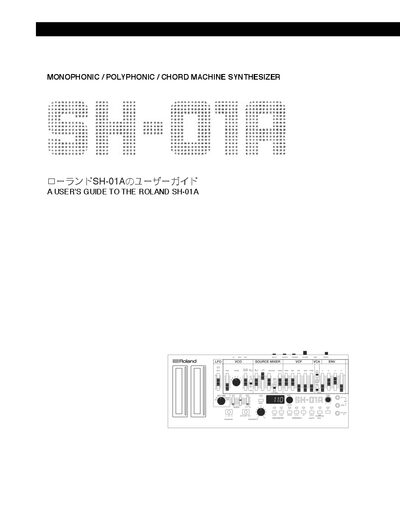
Roland SH-01A Synthesizer User Manual
This guide covers everything you need to get started with the Roland SH-01A, from basic power and USB connections to detailed explanations of the synth's sound creation modules such as VCO, VCF, VCA, LFO, and envelope. It also explains how to use the built‑in sequencer, arpeggiator, and the new polyphonic, unison, chord and mono modes.
Additional sections describe system settings, firmware updates, data backup and restore, MIDI implementation, and a full list of preset patches. The manual includes reference tables, wiring diagrams, and memos for sound synthesis and step sequencing to help both beginners and experienced users get the most out of the instrument.
Covers: Introduction · Basic Connections · General Functions · Sound Creation · Pattern Creation · System Settings
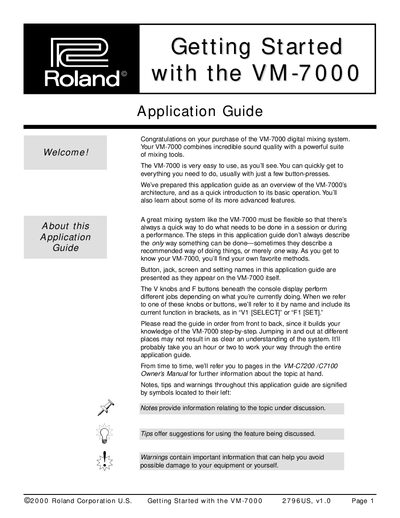
Roland VM-7000 Getting Started Guide
The Getting Started Guide introduces the VM-7000 digital mixing system, describing its two main components – the mixing processor and the console – and the optional expansion boards that add effects, I/O, and level‑metering capabilities. It explains the system’s architecture, basic signal flow, and the flexible Flex Bus routing.
The guide also provides step‑by‑step instructions for powering up, initializing the mixer, and using the console’s controls, including the Level Meter home screen, bus concepts, and fader parameter views. It includes recommended power‑up order and tips for live and studio use.
Covers: Components of a VM-7000 System · Adding Options · Listening to the VM-7000 · Powering Up · Initializing the System · Level Meter Button as Home Page
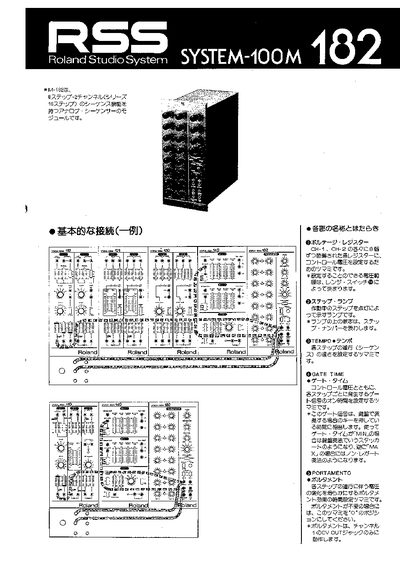
Roland M-182 Sequencer User Manual
This manual provides step‑by‑step instructions for operating the Roland M‑182 analog sequencer, covering the voltage registers, tempo, gate time, portamento, and step‑number settings. It also describes how to connect the unit to synthesizers and other Roland devices.
Technical details such as range settings, current consumption, and I/O specifications are listed in the "Main Specifications" section, along with wiring diagrams for parallel and series modes. This manual is written in Japanese.
Covers: Basic VCO Control · Step Number · Start/Stop · Repeat/Single · Range · Main Specifications
Latest Roland manuals
Roland MODELA 3D DESIGN User Manual
User Manual 21 pages · 1 MB · ENThe Roland MODELA 3D DESIGN User Manual provides installation steps, software usage instructions, and troubleshooting for the MDX-3 cutting system.
Roland SH-01A Synthesizer User Manual
User Manual 34 pages · 2.9 MB · ENThe Roland SH-01A Synthesizer User Manual provides instructions on connections, sound creation, pattern sequencing, system settings, and MIDI functions.
Roland VM-7000 Getting Started Guide
Quick Start Guide 53 pages · 607 KB · ENAn overview of the Roland VM-7000 digital mixing system, covering components, options, power‑up, and basic operation.
Roland M-182 Sequencer User Manual
User Manual 6 pages · 239 KB · JAThe Roland M-182 sequencer user manual explains controls, connection methods, and technical specifications for the 8‑step/16‑step analog sequencer.
Roland US-20 UNIT SELECTOR user manual
Roland UM-4 user manual
Roland UM-2 user manual
This document explains how to set up the Roland UM-2 (32 Channel USB MIDI Interface) system. To avoid problems and enjoy optimal performance, please carefully follow the setup instructions described in this document. Before using this unit, carefully read the sections entitled: “USING THE UNIT SAFELY” and “IMPORTANT NOTES”. These sections provide important information concerning the proper operation of the unit. Additionally, in order to feel assured that you have gained a good grasp of every feature provided by your new unit, this manual should be read in its entirety. The manual should be saved and kept on hand as a convenient reference.
Roland UA-30 user manual
Roland OCTA-CAPTURE Hi-SPEED USB Audio Capture user manual
This document is about warnings, cautions, and prohibited operations in the product user manual. It alerts users to the risks of injury or material damage if the product is used improperly, and also highlights the potential danger of severe injury or death.
Roland UA-100 Make up Charge Manual
This document is a user guide for UA-100, introducing the product's compatibility information, installation and usage methods
Roland U-220 user manual
Roland U-20 user manual
Roland U-110 user manual
Roland WS-100 user manual
Roland MIDI Manual
Which document do I need?
User Manual
Day-to-day operation, settings and troubleshooting. Start here if the product is already set up.
Quick Start Guide
The shortest path to a working setup, usually only a few pages.
Questions answered in Roland manuals
What operating systems are required for the MODELA 3D DESIGN software?
The software runs on Windows 95, Windows 98, or Windows NT 4.0.
How can I power the SH-01A via USB?
Connect a micro USB cable that provides at least 5 Volts and 1 Amp to the synth’s USB port.
How many patches can be stored on the SH-01A?
The instrument provides 64 writeable patches for user‑created sounds.
How many Flex Busses are available in the VM-7000?
The VM-7000 provides twelve Flex Busses.
How many channel strips does the VM‑C7200 console have?
The VM‑C7200 console has twenty‑four channel strips.
What does the Gate Time knob adjust?
It sets the on‑time of the gate signal for each step.