
Key facts
- Brand
- LG
- Model
- GS500
- Category
- Cell Phones
- Documents
- 3
- Languages
- EN · ZH
- Last added
- 2012-05-03
Start here
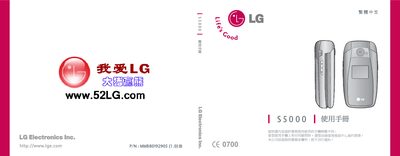
LG S5000 Phone User Manual
This manual for the LG S5000 phone spans 72 pages and includes sections covering device reset, GPRS settings, and other operational details.
The document contains figure references, part numbers, and troubleshooting steps as indicated by the various figure and diagram listings throughout the pages.
LG GS500 specifications
| Model | GS500v |
|---|---|
| Battery type | LG original battery only |
| Default security password | 0000 |
| USIM card orientation | Gold contacts face down |
Source: LG GS500v User Manual
All LG GS500 documents by type
Day-to-day operation, settings and troubleshooting. Start here if the product is already set up.
Questions answered in these manuals
How do I make a call on the LG GS500?
Press the touch key, dial the number including the area code, and press the @ key to start the call.
From: LG GS500 User Manual
How can I send a text message?
Press the touch key at the bottom of the screen, choose "Create new message", enter the text, and press the send key.
From: LG GS500 User Manual
How do I reset the LG S5000 phone?
The manual includes a reset procedure for the device.
How can I configure GPRS on the LG S5000?
GPRS settings are described in the manual.
How do I install the USIM card?
Remove the battery cover, insert the USIM card into the slot with the gold contacts facing down, and reattach the cover.
From: LG GS500v User Manual
How should I charge the battery for the first time?
Insert the original LG battery, connect the charger to the side port, and fully charge the phone before first use.
From: LG GS500v User Manual