
Key facts
- Brand
- LG
- Model
- G650
- Category
- Cell Phones
- Documents
- 3
- Languages
- ZH
- Last added
- 2012-03-28
Start here
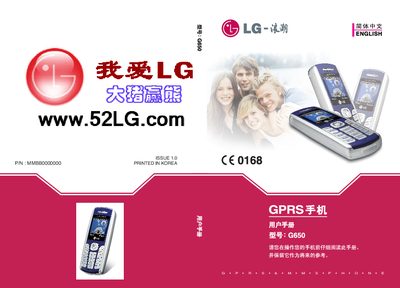
LG G650 GPRS Phone User Manual
This manual introduces the LG G650 GPRS phone, highlighting its design compliance with safety standards such as SAR limits and providing an overview of the device’s features. It includes important safety and effective‑use guidelines to protect both the user and the phone.
The guide details everyday operation, battery and charger usage, driving restrictions, and precautions for exposure to radio‑frequency energy. Following these instructions helps ensure optimal performance and compliance with local regulations. This manual is written in Chinese.
LG G650 specifications
| Maximum SAR (10 g) | 0.637 W/kg |
|---|---|
| SAR limit (10 g) | 2 W/kg |
| SAR limit (1 g) | 16 W/kg |
| Battery type | L6 |
Source: LG G650 GPRS Phone User Manual
All LG G650 documents by type
Day-to-day operation, settings and troubleshooting. Start here if the product is already set up.
- LG G650 GPRS Phone User Manual 168 p
- LG 32LG6*** 37LG6*** 42LG6*** 47LG6*** 42LG7*** 47LG7*** 52LG7*** 32LG8*** 42LG8*** Television 50PG3*** 42PG6*** 50PG6*** 60PG6*** 50PG7*** 60PG7*** plasma Television Manual 116 p
- LG 42LG5***/47LG5***/52LG5***/32LG6***/37LG6***/42LG6***/47LG6*** Television 42PG6***/50PG6***/60PG6*** plasma Television Manual 106 p
Questions answered in these manuals
What is the maximum SAR value for the LG G650?
The maximum SAR measured for the phone is 0.637 W/kg for a 10 g tissue sample.
Can I use the phone while driving?
Do not use a handheld phone while driving; use a hands‑free device if you must make calls.
How do I remove the protective cover?
Press the A part of the protective cover and pull it backward.
How do I connect a USB device?
Refer to the “连接 USB 装置时” section for the connection steps.
How do I install the TV on a table?
Follow the "电视机的台式安装固定方法" section, which shows how to place the TV on a table and secure it with four bolts.
How do I connect an HDMI device?
Connect the HDMI signal to the HDMI IN port as described in the "连接 HDMI 输入" section.