
This is an instruction manual for a mobile phone
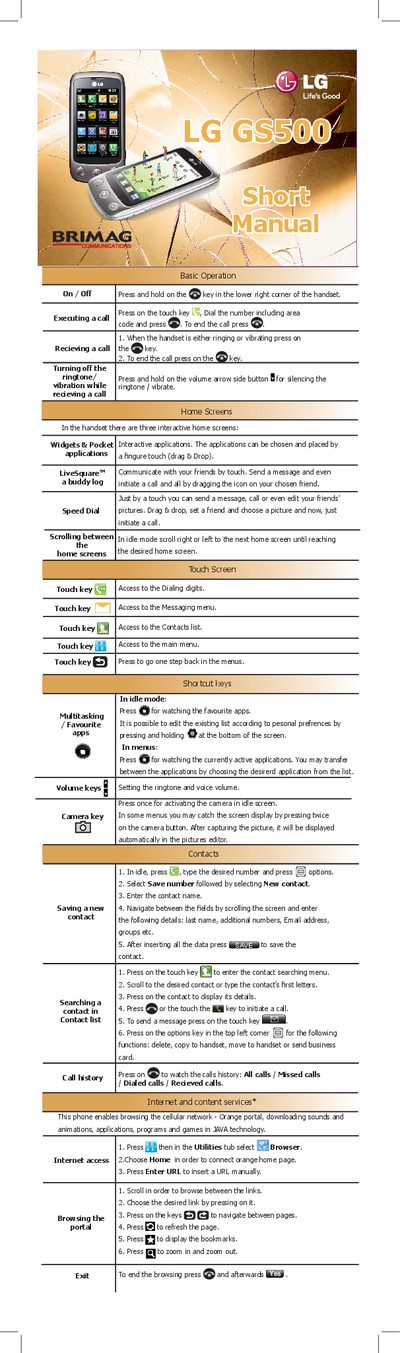
This manual explains how to operate the LG GS500 handset, covering basic functions such as making and receiving calls, navigating home screens, and using shortcut keys. It also describes how to manage contacts, call history, and multimedia features.
Additional sections cover internet browsing, sending SMS/MMS, using the built‑in camera, adjusting sound and display settings, and accessing special features like social networks and Google Search. The guide includes step‑by‑step instructions for alarms, calendar, memo, and organizer functions.
Press the touch key, dial the number including the area code, and press the @ key to start the call.
Press the touch key at the bottom of the screen, choose "Create new message", enter the text, and press the send key.
In idle mode, press the camera key to activate the camera, then press the button to capture the picture.