
Key facts
- Brand
- LG
- Model
- G220
- Category
- Cell Phones
- Industry
- Electronics
- Documents
- 2
- Languages
- EN · ZH
- Last added
- 2012-05-03
Start here
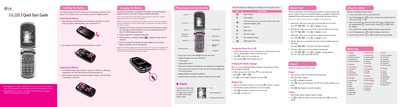
LG 220C Phone Quick Start Guide
This Quick Start Guide introduces the LG 220C mobile phone, showing how to install and charge the Li‑ion battery, power the device, and understand the status icons on the 7‑line backlight LCD. It also covers basic safety notes such as using approved chargers and keeping the antenna clear.
The guide explains the menu‑driven interface, including how to view recent, missed, received and dialed calls, send text messages, use T9Word/ABC/123 input modes, and customize sounds and display settings. Additional sections cover security options, call settings, system information, and safety information for antenna use, pacemakers, and SAR limits.
LG G220 specifications
| Battery type | Rechargeable Li‑ion |
|---|---|
| Display | 7‑line backlight LCD |
| Keypad | 22‑key |
| Full charge time | up to 4 hours |
Source: LG 220C Phone Quick Start Guide
All LG G220 documents by type
The shortest path to a working setup, usually only a few pages.
Day-to-day operation, settings and troubleshooting. Start here if the product is already set up.
Questions answered in these manuals
How long does it take to fully charge the battery?
A full charge requires up to 4 hours.
How do I switch between T9Word, ABC and 123 input modes?
Press and hold the left soft key 7, then press the appropriate key to select T9Word, ABC or 123 mode.
What must you do with the phone before a flight?
You must turn off the phone before boarding an aircraft.
Can you hold the phone while driving?
No, you should not hold the phone while driving; use a hands‑free device instead.