
This document is the release note for the January 2012 firmware update of HDcctv DVR. It includes improved compatibility with Internet Explorer® 9 32-bit versions running on Windows® 7 32-bit and 64-bit operating systems. It also introduces new features such as remote reboot and network test.
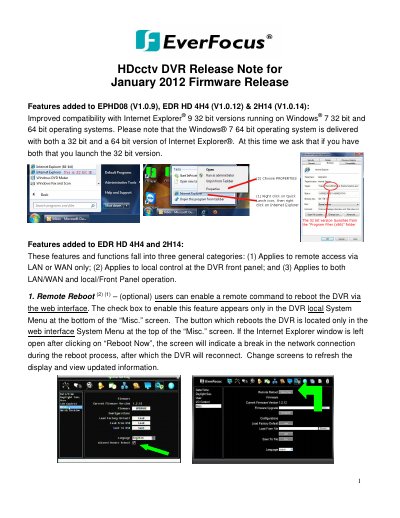
This document outlines the features added to the January 2012 firmware release for EverFocus EPHD08 (V1.0.9), EDR HD 4H4 (V1.0.12), and 2H14 (V1.0.14) DVRs. Key updates include improved compatibility with Internet Explorer 9 on Windows 7, a remote reboot function, and enhanced network testing capabilities via ICMP Ping.
| Compatible Models | EPHD08, EDR HD 4H4, 2H14 |
|---|---|
| Firmware Version EPHD08 | V1.0.9 |
| Quick Archive Interval Options | 10, 20, 30, 60, 90 minutes |
Enable the feature in the local System Menu under the Misc. screen and use the button in the web interface System Menu to reboot.
It allows users to copy the previous 10 to 90 minutes of video for all cameras to a blank DVD or USB drive by pressing and holding the COPY key.