
Key facts
- Brand
- Elatec
- Model
- TWN4 MultiTech 3
- Documents
- 19
- Languages
- EN
- Last added
- 2023-10-19
Start here
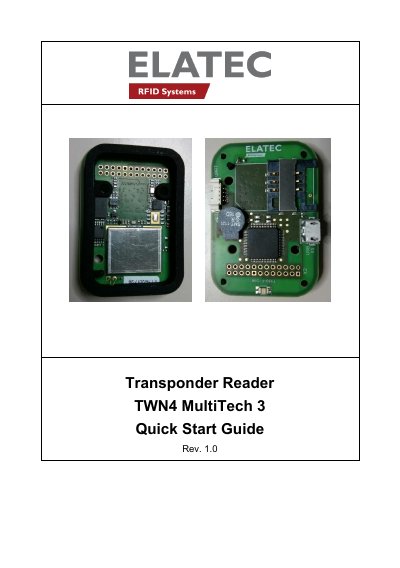
Elatec TWN4 MultiTech 3 Transponder Reader Quick Start Guide
This guide explains how to connect and operate the TWN4 MultiTech 3 transponder reader. It covers cable connection, power-up, initialization, and normal operation including transponder detection. The device supports USB and RS232 interfaces and includes compliance statements for FCC and Industry Canada.
The guide also details labeling requirements for FCC and IC compliance, modification warnings, and service contact information for technical support.
Elatec TWN4 MultiTech 3 specifications
| LF Antenna Dimensions | 49 x 34 mm / 1.93 x 1.34 inch |
|---|---|
| HF Antenna Dimensions | 48 x 33 mm / 1.89 x 1.30 inch |
| RF Exposure Separation Distance | 20 cm |
| FCC ID | WP5TWN4F4 |
| IC ID | 7948A-TWN4F4 |
All Elatec TWN4 MultiTech 3 documents by type
The shortest path to a working setup, usually only a few pages.
Mounting, wiring and first power-up. Read it before the hardware goes in.
- ELATEC TWN4 MultiTech 3 M BLE Integration Manual 9 p
- ELATEC TWN4 MultiTech 3 LEGIC M BLE Integration Manual 9 p
- ELATEC TWN4 MultiTech 3 M LF HF Integration Manual 13 p
- ELATEC TWN4 MultiTech 3 LEGIC M LF HF Integration Manual 9 p
- ELATEC TWN4 MultiTech 3 M LF HF Integration Manual 13 p
- ELATEC TWN4 MultiTech 3 LEGIC M LF HF Integration Manual 13 p
- ELATEC TWN4 MultiTech 3 M Integration Manual 13 p
Day-to-day operation, settings and troubleshooting. Start here if the product is already set up.
- ELATEC TWN4 MultiTech 3 LEGIC M RFID Reader User Manual 13 p
- ELATEC TWN4 MultiTech 3 LEGIC M LF HF RFID Reader User Manual 9 p
- ELATEC TWN4 MultiTech 3 M BLE User Manual 10 p
- ELATEC TWN4 MultiTech 3 M BLE User Manual 10 p
- ELATEC TWN4 MultiTech 3 M LF HF RFID Reader User Manual 15 p
- Elatec TWN4 MultiTech 3 LF Transponder Reader User Manual 12 p
- ELATEC TWN4 MultiTech 3 M BLE User Manual 10 p
- ELATEC TWN4 MultiTech 3 M LF HF User Manual 10 p
Questions answered in these manuals
What frequencies does the TWN4 MultiTech 3 transponder reader cover?
The device covers a large range of transponder types in the frequency range of 125kHz and 13.56MHz.
From: Elatec TWN4 MultiTech 3 Transponder Reader Quick Start Guide
What happens to the LEDs when the USB host signals a suspend mode?
During suspend mode, all LEDs are turned off and the device cannot detect transponders.
From: Elatec TWN4 MultiTech 3 Transponder Reader Quick Start Guide
What interfaces does the TWN4 MultiTech 3 M LF HF support?
It provides access to common host interfaces such as USB, serial (TTL), or I²C via an on-board connector.
Do I need to install external antennas?
No, the module includes built-in LF and HF antennas.
What is the TWN4 MultiTech 3 M LEGIC device used for?
It is a device for reading and writing RFID transponders.
How does the device communicate with a host?
It connects via USB or RS232 cable and sends a version string via RS232 to the host.