
Key facts
- Brand
- Elatec
- Model
- TWN4 MultiTech HF Mini
- Category
- Other Electronics
- Documents
- 6
- Languages
- EN
- Last added
- 2023-10-19
Start here
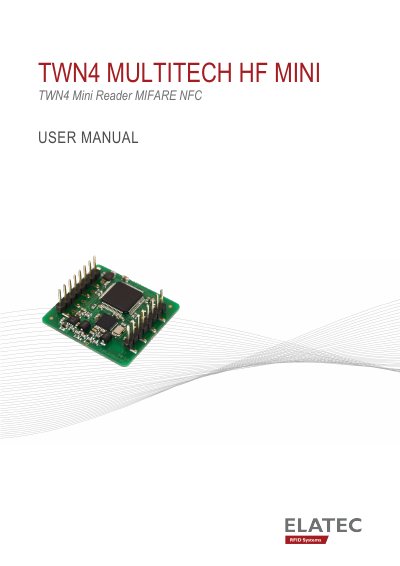
ELATEC TWN4 MultiTech HF Mini Reader User Manual
The ELATEC TWN4 MultiTech HF Mini is a compact RFID reader module designed for integration into machines, handheld computers, or other human interface devices. It focuses on size, flexibility, and price, allowing for direct integration onto a PC board. The manual provides instructions for unpacking, installation, and handling the device safely.
Read onlineELATEC TWN4 MultiTech HF Mini specifications
| Frequency | 13.56 MHz |
|---|---|
| Dimensions | 27.5 x 25 mm |
| Number of turns | 4 |
| Operating Temperature | -25 °C – 80 °C |
| Relative Humidity | 5% – 95% (non-condensing) |
All ELATEC TWN4 MultiTech HF Mini documents by type
Day-to-day operation, settings and troubleshooting. Start here if the product is already set up.
Mounting, wiring and first power-up. Read it before the hardware goes in.
Questions answered in these manuals
Who should install the product?
The installation of the product should be done by a trained and qualified personnel only.
What happens if a transponder is detected?
The reader sends the ID to the host, defaulting to emulating keystrokes of a keyboard.
What devices is the TWN4 MultiTech HF Mini designed for?
The reader is designed for integration into machines, handheld computers, or other human interface devices such as displays and panels.
From: ELATEC TWN4 MultiTech HF Mini RFID Reader Integration Manual
Does the TWN4 MultiTech HF Mini require a separate antenna installation?
No, the module is equipped with one integrated HF antenna, so no antenna installation is required.
From: ELATEC TWN4 MultiTech HF Mini RFID Reader Integration Manual
Who should install the TWN4 MultiTech HF Mini?
Installation should be done by trained and qualified personnel only.
What happens when a transponder is detected?
The reader sends the ID to the host, emulating keystrokes by default.