
Key facts
- Brand
- Elatec
- Model
- TWN4 MultiTech 2
- Documents
- 17
- Languages
- EN
- Last added
- 2023-10-19
Start here
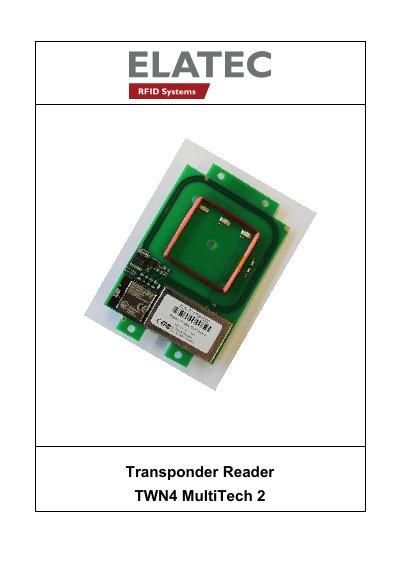
Elatec TWN4 MultiTech 2 Transponder Reader Quick Start Guide
This guide explains how to connect and operate the Elatec TWN4 MultiTech 2 transponder reader. It covers USB and RS232 cable connections, power-up procedures, initialization, and normal operation including transponder detection and LED indicators. The document also includes FCC and Industry Canada compliance statements and labeling requirements for end devices.
The reader supports both 125kHz and 13.56MHz transponders and provides feedback via LEDs and beeps during operation. It includes instructions for USB suspend mode and handling of simultaneous transmissions, with compliance notes for Class A and Class B devices.
Elatec TWN4 MultiTech 2 specifications
| Frequency | 125 KHz (LF) / 13.56 MHz (HF) / 2.4 GHz (BLE) |
|---|---|
| Housing Material | ABS UL94-V0 |
| Dimensions | Approx. 88.00 x 56.00 x 18.50 mm / 3.46 x 2.20 x 0.73 inch |
| Power | USB: 4.3 V - 5.5 V; RS-232: requires 5 V external power supply |
| Current Consumption | RF field on: 120 mA typically + 16 mA (BT) / Sleep: 500 µA typ. |
| Operating Temperature | -25 °C up to +70 °C (-13 °F up to +158 °F) |
| Read/Write Distance | LF and HF: up to 100 mm / 4 inch; BLE: up to several meters/feet |
| Weight | Approx. 120 g / 4.23 oz (with cable) |
All Elatec TWN4 MultiTech 2 documents by type
Day-to-day operation, settings and troubleshooting. Start here if the product is already set up.
- ELATEC TWN4 MultiTech 2 User Manual 17 p
- ELATEC TWN4 MultiTech 2 BLE User Manual 11 p
- ELATEC TWN4 MultiTech 2 BLE User Manual 11 p
- ELATEC TWN4 MultiTech 2 M LF HF User Manual 10 p
- ELATEC TWN4 MultiTech 2 HF RFID Reader User Manual 14 p
- ELATEC TWN4 MultiTech 2 M BLE User Manual 10 p
- Elatec TWN4 MultiTech 2 HF User Manual 8 p
- ELATEC TWN4 MultiTech 2 LF RFID Reader User Manual 10 p
- ELATEC TWN4 MultiTech 2 LEGIC M LF HF RFID Reader User Manual 13 p
- Elatec TWN4 MultiTech 2 BLE Reader User Manual 11 p
The shortest path to a working setup, usually only a few pages.
Mounting, wiring and first power-up. Read it before the hardware goes in.
Questions answered in these manuals
What frequencies does the TWN4 MultiTech 2 support?
It supports 125 KHz (LF), 13.56 MHz (HF), and 2.4 GHz (BLE).
What is the operating temperature range?
It operates from -25 °C to +70 °C (-13 °F to +158 °F).
What is the TWN4 MultiTech 2 device used for?
It is a device for reading and writing RFID transponders.
From: Elatec TWN4 MultiTech 2 Transponder Reader Quick Start Guide
How does the TWN4 reader send transponder ID to the host?
USB devices send by emulating keyboard keystrokes; RS232 devices send ASCII code.
From: Elatec TWN4 MultiTech 2 Transponder Reader Quick Start Guide
What devices are compatible with the TWN4 MultiTech 2 BLE?
It supports mobile phones with Android 4.3+ and iOS 8.0+, and PCs with Windows (with new Bluetooth hardware).
What is the power-up requirement for the device?
If using an external power supply, it must meet safety norms and have a short-circuit current less than 8 A.