
Key facts
- Brand
- Elatec
- Model
- TWN4 MultiTech 3 M
- Category
- Other Electronics
- Documents
- 4
- Languages
- EN
- Last added
- 2023-10-19
Start here
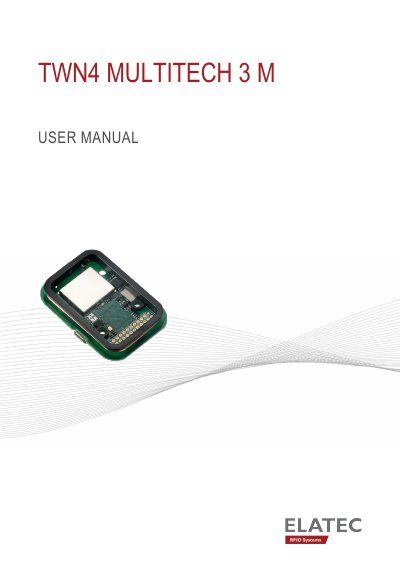
ELATEC TWN4 MultiTech 3 M User Manual
This user manual provides instructions for safely operating the ELATEC TWN4 MultiTech 3 M, an RFID/NFC/Bluetooth reader module. It covers safety precautions, technical specifications, power-up procedures, and normal operation. The device supports multiple frequencies and can read over 60 RFID technologies. It is designed for integration into host devices and requires trained personnel for installation and maintenance. Safety warnings include RF exposure, handling sharp edges, and avoiding interference with medical devices.
Read onlineELATEC TWN4 MultiTech 3 M specifications
| Frequency | 125 kHz (LF) / 13.56 MHz (HF) / 2.4 GHz (BLE) |
|---|---|
| Dimensions | Approx. 50 x 35 x 7 mm |
| Power | Micro USB: 4.3 V - 5.5 V |
| Operating Temperature | -25 °C up to +80 °C |
| Read/Write Distance | LF and HF: Up to 100 mm / 4 inch |
All ELATEC TWN4 MultiTech 3 M documents by type
Day-to-day operation, settings and troubleshooting. Start here if the product is already set up.
Mounting, wiring and first power-up. Read it before the hardware goes in.
Questions answered in these manuals
What frequencies does the TWN4 MultiTech 3 M support?
It supports 125 kHz (LF), 13.56 MHz (HF), and 2.4 GHz (BLE).
What is the operating temperature range?
It operates from -25 °C to +80 °C.
Who is this manual intended for?
This manual is mainly intended for integrators and host manufacturers.
Does the module require external antenna installation?
No, the module is equipped with 2 integrated antennas.
What interfaces does the TWN4 MultiTech 3 M LF HF support?
It supports USB, serial (TTL), or I²C interfaces through an on-board connector.
How does the device detect a transponder?
It sends the ID to the host, sounds a beep, turns off the green LED, blinks the red LED for two seconds, then turns the green LED back on.