
Key facts
- Brand
- Elatec
- Model
- TWN4 MultiTech 2 LF
- Category
- Other Electronics
- Documents
- 4
- Languages
- EN
- Last added
- 2023-10-19
Start here
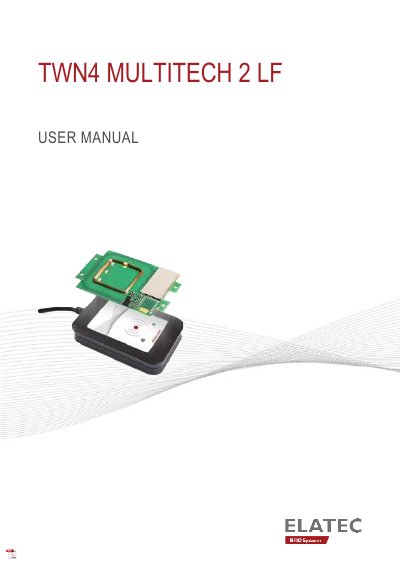
ELATEC TWN4 MultiTech 2 LF User Manual
This user manual provides instructions for safely operating the TWN4 MultiTech 2 LF RFID reader/writer. It covers intended use, safety precautions, technical data, and operational modes including power-up, initialization, and transponder detection. The device supports 125 kHz tags and is designed for indoor use only. Safety guidelines include handling, maintenance, and disposal instructions, as well as compliance with EU, FCC, IC, and UK regulations.
Read onlineELATEC TWN4 MultiTech 2 LF specifications
| Antenna | PCB contained in TWN4 MultiTech 2 LF LF antenna (125 kHz) |
|---|---|
| Dimensions | 28 x 28 mm / 1.10 x 1.10 inch |
| Number of Turns | 151 |
| Operating Temperature | -25 °C – 70 °C |
| Relative Humidity | 5% – 95% (non-condensing) |
All ELATEC TWN4 MultiTech 2 LF documents by type
Day-to-day operation, settings and troubleshooting. Start here if the product is already set up.
Questions answered in these manuals
What is the TWN4 MultiTech 2 LF used for?
It is an integrated device for contactless read/write operations on a transponder card.
What happens when a transponder is detected by the reader?
The device sends the ID to the host, sounds a beep, turns off the green LED, and blinks the red LED for two seconds.
What transponder technologies does the TWN4 MultiTech 2 LF support?
It supports all major transponder technologies like HID, HITAG, Nexwatch, KERI, Cotag, CASI-RUSCO etc.
What is the FCC ID for this device?
The FCC ID is WP5TWN4F7.
What is the intended use of the TWN4 MultiTech 2 LF?
The reader/writer allows users to read and write to almost any 125 kHz tags and/or labels.
Can the product be used outdoors?
No, the product is designed for indoor use only and may not be used outdoors.