
The Dell XPS 15 is a thin and light laptop that packs a 15.6-inch display into a body that weighs just 1.8 kilograms. It's powered by an Intel Core i7 processor and 8GB of memory, so it's plenty powerful. And with an NVIDIA GeForce GTX 1050 graphics card, it can handle gaming as well.
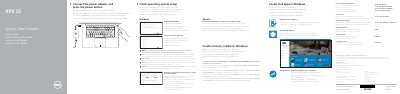
This document serves as a Quick Start Guide for the Dell XPS 15 laptop, model P56F. It provides essential instructions for initial setup, including connecting the power adapter, turning on the device, and configuring the operating system. The guide covers procedures for enabling Dell updates, connecting to a network, and signing into a Microsoft account or creating a local one. This manual is written in Spanish.
| Input Voltage | 100 V CA–240 V CA |
|---|---|
| Input Frequency | 50 Hz–60 Hz |
| Input Current Consumption | 1,80 A |
| Output Voltage | 19,50 V DC |
| Output Current Consumption | 6,67 A |
You must enter the password for the wireless network access when prompted.
In Windows search, type Recovery, click Create a recovery media, and follow the instructions on the screen.