
Key facts
Start here
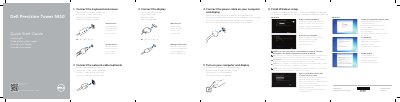
Dell Precision Tower 5810 Quick Start Guide
This document serves as a multilingual quick start guide for the Dell Precision Tower 5810 workstation. It provides step-by-step instructions for the initial setup process, including finishing the Windows setup, enabling security and updates, connecting to a network, and signing into a Microsoft account. The guide also details how to connect essential peripherals such as the keyboard, mouse, display, and power cable.
Read onlineDell Precision Tower 5810 specifications
| Regulatory model | D01T |
|---|---|
| Input voltage | 100 V CA–240 V CA |
| Input current (max) | 6 A |
| Input frequency | 50 Hz–60 Hz |
All Dell Precision Tower 5810 documents by type
Mounting, wiring and first power-up. Read it before the hardware goes in.
The shortest path to a working setup, usually only a few pages.
Disassembly, diagnostics and part numbers, for repair.
Day-to-day operation, settings and troubleshooting. Start here if the product is already set up.
Questions answered in these manuals
Which Dell Precision models does this guide cover?
This guide covers the Dell Precision Tower 5810, 7810, 7910, and Rack 7910.
From: Dell Precision Tower 5810/7810/7910 and Rack 7910 Dual/Quad Host PCIe Cards Setup Guide
Where can I find instructions to install the host card and connect the cable?
You must see the Owner's Manual for your computer at www.dell.com/manuals.
From: Dell Precision Tower 5810/7810/7910 and Rack 7910 Dual/Quad Host PCIe Cards Setup Guide
Where is the Thunderbolt AIC installed in a Precision Tower 7910?
It is placed in CPU1 slot 3.
Where is the Thunderbolt AIC installed in a Precision Tower 5810/T7810?
It is placed in CPU1 slot 5.
What is the regulatory model number for this computer?
The regulatory model number is D01T.
What is the input voltage range for this workstation?
The input voltage range is 100 V CA to 240 V CA.