
Dell Latitude 12 7285 2-in-1 Quick Start Guide

Dell Latitude 12 7285 2-in-1 Quick Start Guide
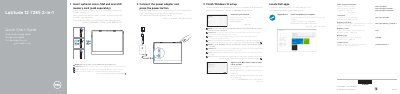

Dell Latitude 12 7285 2-in-1 Quick Start Guide - cover page
Brand
DELL
Category
Tablets
Document type
Quick Start Guide
Language
English
Pages
2
File format
PDF
File size
310 KB
Published
22 November, 2023
Updated
22 November, 2023
MD5 checksum
C31F65C04F4C4C87E87D057326A24780

About this manual

This quick start guide helps set up the Dell Latitude 12 7285 2-in-1, including inserting optional micro-SIM and microSD cards, connecting power, completing Windows 10 setup, connecting to a network, signing in, locating Dell apps, and checking for updates.

It also labels the tablet's features and ports, provides product support and manual links, and includes regulatory information and intended-use orientation guidance for the WWAN transmitter.

What's inside

  • Connect the power adapter and press the power button
  • Insert optional micro-SIM and microSD memory card
  • Finish Windows 10 setup
  • Connect to your network
  • Sign in to your Microsoft account or create a local account
  • Locate Dell apps
  • Check and update your computer
  • Features
  • Product support and manuals
  • Regulatory and safety

Specifications

Regulatory typeT02J001
Computer modelLatitude 7285 2-in-1
WWAN transmitter body distance15 mm (0.59 inches)

Frequently asked questions

What should I do when connecting to a secured wireless network?

Enter the password for the wireless network access when prompted.

What should I do after finishing Windows 10 setup?

Check and update your computer.

Where can I find product support and manuals?

Visit Dell.com/support and Dell.com/support/manuals.

Download PDF (310 KB)

More DELL Manuals


View all DELL manuals →