
Dell Latitude 12 7285 2-in-1 Quick Start Guide
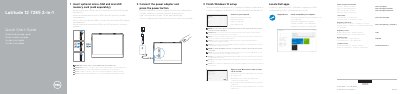
This guide helps you set up your Dell Latitude 12 7285 2-in-1 tablet. Connect the power adapter and press the power button to start. Insert optional micro-SIM and microSD cards, then complete Windows 10 setup. Connect to your network and sign in to your Microsoft account or create a local account. The device includes features like a camera, microphone, speakers, and Thunderbolt over USB Type-C ports.
The guide also includes safety information: when the WWAN transmitter is active, keep the screen-side at least 15 mm from your body. Other sides are safe for close contact. The tablet comes with Dell apps and support tools like SupportAssist for updates.
Enter the password for the wireless network access when prompted.
You may need to activate your network service before connecting.
Keep the tablet’s screen-side at least 15 mm (0.59 inches) from your body.