
Key facts
- Brand
- DELL
- Model
- DW316
- Category
- Optical drive
- Documents
- 4
- Languages
- PT · EN · ZH
- Last added
- 2023-11-20
Start here
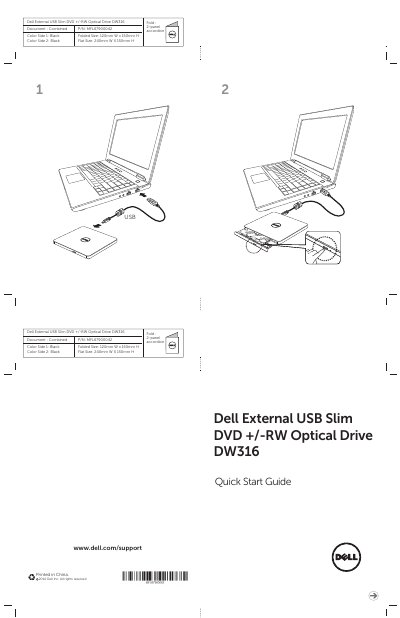
Dell DW316 External USB Slim DVD +/-RW Optical Drive Quick Start Guide
This document is the USB Quick Start Guide for the Dell External USB Slim DVD +/-RW Optical Drive DW316. It provides essential product information and physical specifications for the device.
The optical drive features a 2-panel accordion fold design with a black finish. When folded, the dimensions are 120mm W x 150mm H, and when flat, the dimensions are 240mm W x 150mm H.
Dell DW316 specifications
| Interface | USB 2.0 (480 Mbit/s) |
|---|---|
| Internal interface | T13 ATA/ATAPI-8, MMC-6, INF-8090i v8 |
| CD read speed | 24x max. CAV |
| DVD-ROM read speed | 8x max. CAV |
| DVD+/-R write speed | 8x max. CAV |
| Standby power consumption | 113 mA |
| Dimensions | 144 mm x 137.5 mm x 14 mm |
| Weight | Approximately 200 g |
Source: Dell DW316 External Slim USB DVD +/-RW Drive User Manual
All Dell DW316 documents by type
Day-to-day operation, settings and troubleshooting. Start here if the product is already set up.
The shortest path to a working setup, usually only a few pages.
Questions answered in these manuals
What interface does the Dell DW316 drive use?
It uses USB 2.0 with a data transfer rate of 480 Mbit/s.
From: Dell DW316 External Slim USB DVD +/-RW Drive User Manual
Does the drive require an AC adapter?
No, it works with power from the PC USB connection.
From: Dell DW316 External Slim USB DVD +/-RW Drive User Manual
Does the Dell DW316 drive need a power adapter?
No. The drive is powered through the computer's USB port, so no AC power adapter is required.
How do I eject a disc when the drive has no power or the eject button fails?
Insert a straightened paper clip about 1.2 mm in diameter into the emergency eject hole and press firmly; the tray opens about 10 mm so it can be pulled out.
What media types does this drive support?
It supports CD-ROM, CD-R, CD-RW, DVD-R, DVD+R, DVD-RW, DVD+RW, DVD-RAM, and M-Disc (DVD+R SL).
From: Dell DW316 External USB Slim DVD +/-RW Optical Drive User's Guide
Does this drive require an external power adapter?
No, it is powered by USB and does not require an external power adapter.
From: Dell DW316 External USB Slim DVD +/-RW Optical Drive User's Guide