
Key facts
- Brand
- au by KDDI
- Model
- W32S
- Category
- Cell Phones
- Documents
- 2
- Languages
- ZH
- Last added
- 2012-03-28
Start here
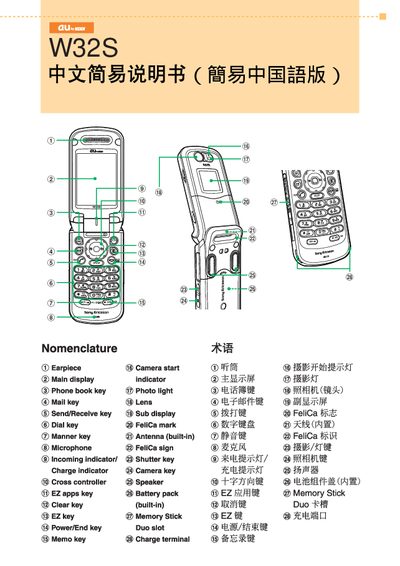
au W32S Phone User Manual
This manual explains how to operate the au W32S mobile phone. It covers basic functions such as turning the device on or off, dialing and receiving calls, and managing contacts.
Additional sections describe how to set up and use email and EZweb services, send C‑mail, browse the internet, capture photos and animations, make international calls, and configure other phone functions like silent mode and voice messages. This manual is written in Chinese.
au by KDDI W32S specifications
| Battery pack | Built‑in |
|---|---|
| Memory Stick Duo | Slot |
| Antenna | Built‑in (FeliCa) |
Source: au W32S Phone User Manual
All au by KDDI W32S documents by type
Day-to-day operation, settings and troubleshooting. Start here if the product is already set up.
Questions answered in these manuals
How do I turn the W32S on or off?
Press and hold the Power/End key for more than one second to power the device on or off.
How can I make a phone call?
From the standby screen press the call key, enter the phone number, then press the end key to start the call.