
Key facts
- Brand
- au by KDDI
- Model
- W62S
- Category
- Smartphones
- Documents
- 2
- Languages
- ZH · JA
- Last added
- 2012-03-28
Start here
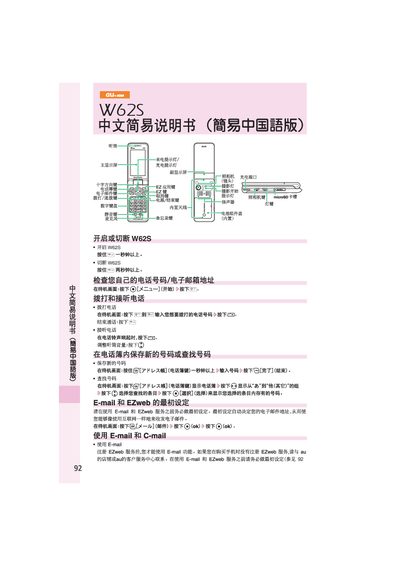
au W62S Phone User Manual
This manual provides step‑by‑step instructions for operating the au W62S mobile phone. It covers basic functions such as turning the device on or off, making and receiving calls, and using the keypad and navigation keys.
Additional sections describe how to set up and use email and EZweb services, create and send C‑mail, capture and save photos, place international calls, and configure silent mode and language settings. This manual is written in Chinese.
All au by KDDI W62S documents by type
Day-to-day operation, settings and troubleshooting. Start here if the product is already set up.
Questions answered in these manuals
How do I make a call?
Press the call button, enter the number, and press the send key.
How do I take a photo?
Press the camera button, then press the capture button, and finally save the picture.
How do I set up EZweb service on the W62SA?
Before using EZweb you must complete the initial setup as described in the manual.
How can I send a short message with the W62SA?
Use the short‑message function; the phone will display a notification on the standby screen when a message is received.