
Key facts
- Brand
- Allied Telesis
- Model
- GS950 PS Series
- Category
- Network Switches
- Documents
- 2
- Languages
- EN
- Last added
- 2026-09-29
Start here
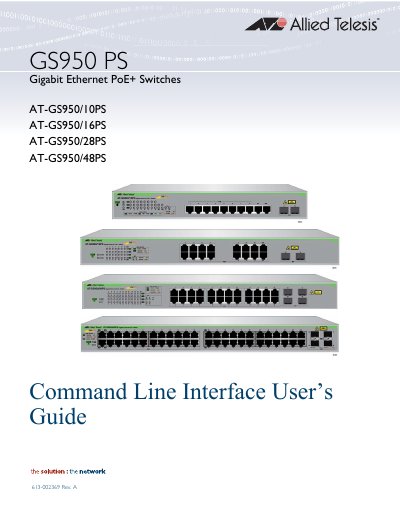
AT-GS950 PS Gigabit Ethernet PoE+ Switches Command Line Interface User’s Guide
This document serves as the Command Line Interface (CLI) User's Guide for the GS950 PS Series of Gigabit Ethernet PoE+ switches. It details the management commands available for configuring and monitoring the devices.
The guide covers various aspects of CLI management, including basic commands for system configuration, IPv4 and IPv6 address management, file transfer operations, and Simple Network Management Protocol (SNMP) settings. It also explains different CLI modes, symbols used in the interface, and provides examples for specific configurations.
Allied Telesis GS950 PS Series specifications
| Performance (10 Mbps) | 14,880 pps |
|---|---|
| MAC addresses | 8,000 |
| VLAN IDs available | 4,000 |
| Packet buffer | 1 MB DRAM |
| Maximum PoE+ power per port | 30 W |
| Maximum PoE power (48‑port model) | 370 W |
Source: Allied Telesis GS950 PS Series Gigabit WebSmart PoE+ Edge Switches Product Information
All Allied Telesis GS950 PS Series documents by type
Day-to-day operation, settings and troubleshooting. Start here if the product is already set up.
Questions answered in these manuals
What PoE+ power does the GS950 PS Series support per port?
Each PoE+ port can deliver up to 30 W of power (IEEE 802.3at).
From: Allied Telesis GS950 PS Series Gigabit WebSmart PoE+ Edge Switches Product Information
How many ports are available in the GS950 PS Series?
The series is offered in 10‑, 16‑, and 48‑port PoE configurations.
From: Allied Telesis GS950 PS Series Gigabit WebSmart PoE+ Edge Switches Product Information
What models are covered in this guide?
The guide covers the AT-GS950/10PS, AT-GS950/16PS, AT-GS950/28PS, and AT-GS950/48PS models.
From: AT-GS950 PS Gigabit Ethernet PoE+ Switches Command Line Interface User’s Guide
What is the purpose of the 'CLEAR SCREEN' command?
The 'CLEAR SCREEN' command is used to clear the display within the Command Line Interface.
From: AT-GS950 PS Gigabit Ethernet PoE+ Switches Command Line Interface User’s Guide