
ZLG CANPro-II Software User Manual

User guide for ZLG CANPro-II software covering installation, startup, data analysis, protocol parsing, and system settings.

ZLG CANPro-II Software User Manual - cover page
Brand
ZLG
Category
Other Computer Accessories
Document type
User Manual
Language
Chinese
Pages
19
File format
PDF
File size
938 KB
Published
12 October, 2026
Updated
12 October, 2026
MD5 checksum
9C4778504F70A57DC5C33F8B382B9CCF

About this manual

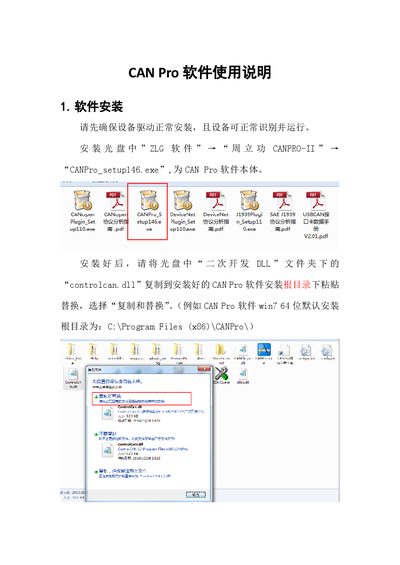
This manual describes the installation and startup procedures for the ZLG CANPro-II software. It details how to install the main program and the required 'controlcan.dll' driver file to ensure proper hardware communication. This manual is written in Chinese.

What's inside

  • Software Installation
  • Software Startup
  • Data Reception Features
  • Data Transmission Features
  • Protocol Parsing
  • System Settings

Frequently asked questions

What file must be copied to the installation directory after installing CAN Pro?

The 'controlcan.dll' file from the 'Secondary Development DLL' folder must be copied to the installation root directory.

What indicates that the hardware device is connected normally?

The device indicator lights PWR and SYS will show one constant light and one slow flash (approximately once every 1 second).

Can the software language be changed?

Yes, the software language can be set to either Chinese or English.

Download PDF (938 KB)

More ZLG Manuals


View all ZLG manuals →