
The Zarlink MT9085B Parallel Access Circuit connects an 8-bit parallel TDM bus to serial TDM streams at 2.048 or 4.096 Mbit/s for SMX applications.
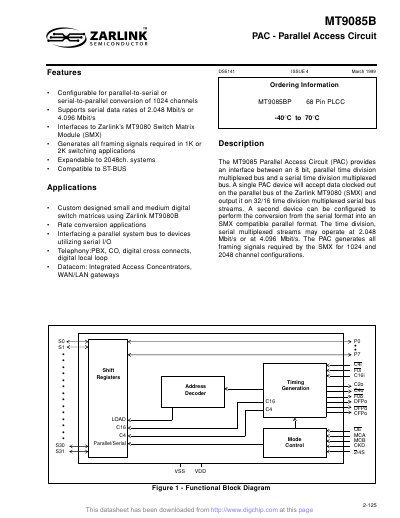
The MT9085B Parallel Access Circuit (PAC) provides an interface between an 8-bit parallel time division multiplexed bus and a serial time division multiplexed bus. A single device accepts data from the parallel bus of the Zarlink MT9080 Switch Matrix Module (SMX) and outputs it on 32/16 time division multiplexed serial bus streams.
A second device can be configured to convert serial format into SMX-compatible parallel format. Serial streams operate at 2.048 Mbit/s or 4.096 Mbit/s, and the PAC generates all framing signals required for 1024 and 2048 channel configurations.
| Serial data rate | 2.048 Mbit/s or 4.096 Mbit/s |
|---|---|
| Interface | Zarlink MT9080 Switch Matrix Module (SMX) |
| Framing signals | 1K or 2K switching applications |
| Package | 68 Pin PLCC |
| Supply voltage | +5V |
It supports serial data rates of 2.048 Mbit/s or 4.096 Mbit/s.
It provides an interface between an 8-bit parallel time division multiplexed bus and a serial time division multiplexed bus.
It interfaces to Zarlink's MT9080 Switch Matrix Module (SMX).