
The TEG1208 V2.0 Switch User Manual provides setup, hardware installation, and configuration instructions for the 8‑port gigabit switch.
The TEG1208 V2.0 is a compact 9‑inch steel‑chassis gigabit Ethernet switch with eight 10/100/1000 Mbps RJ45 ports, auto MDI/MDIX, and a range of management features such as VLAN, QoS, RSTP, and IGMP Snooping. It is designed for small‑to‑medium networks like internet cafés, SMEs, and residential complexes.
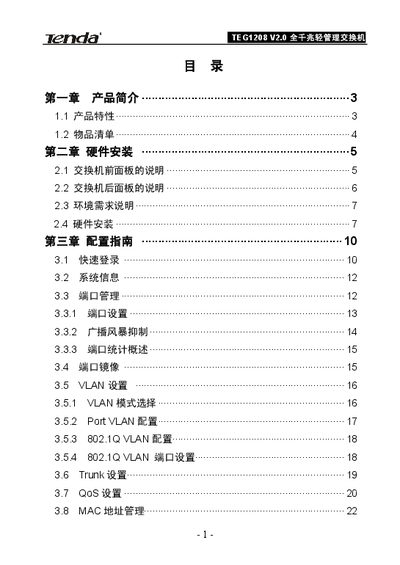
The manual is organized into a product overview, hardware installation guide, detailed configuration guide (including login, port settings, VLAN, QoS, security, and diagnostics), and three appendices covering technical support, common command line tools, and TCP/IP address configuration steps. This manual is written in Chinese.
| Port speed | 10/100/1000 Mbps (auto‑negotiated) |
|---|---|
| Backplane bandwidth | 16 Gbps |
| MAC address table size | 8 K entries |
| VLAN ID range | 1‑4094 |
| Power input | AC100‑240 V, 50‑60 Hz |
Press and hold the Reset button on the front panel until the SYS LED changes from solid to flashing and then turns off; release the button and the switch will restore factory settings.
The default IP address is 192.168.0.1, with username admin and password admin.
It uses an internal switching power supply that accepts AC 100‑240 V, 50‑60 Hz input.