
Installation guide for the StarTech PEX1PCI1 PCI Express to PCI adapter, including warranty, system requirements, and installation steps.
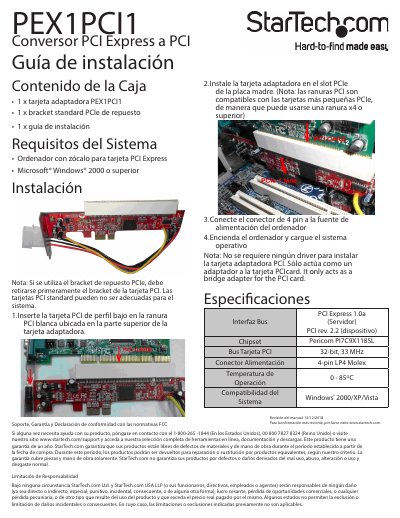
This document provides the installation guide for the StarTech PEX1PCI1 adapter, which converts a PCI Express slot to a PCI slot. It includes warranty information, FCC compliance, box contents, system requirements, and step-by-step installation instructions.
The adapter uses a Pericom PI7C9X118SL chipset, supports 32-bit PCI at 33 MHz, and requires a 4-pin LP4 Molex power connection. It is compatible with Windows 2000, XP, and Vista, and operates from 0 to 85°C. This manual is written in Spanish.
| Interface Bus | PCI Express 1.0a (Server) / PCI rev. 2.2 (device) |
|---|---|
| Chipset | Pericom PI7C9X118SL |
| PCI Card Bus | 32-bit, 33 MHz |
| Power Connector | 4-pin LP4 Molex |
| System Compatibility | Windows® 2000/XP/Vista |
The product has a one-year warranty covering parts and labor.
A computer with a PCI Express slot and Microsoft Windows 2000 or later.