
User manual for StarTech professional USB console KVM switches covering installation, operation, OSD menu, hotkey commands, and cascading configurations.
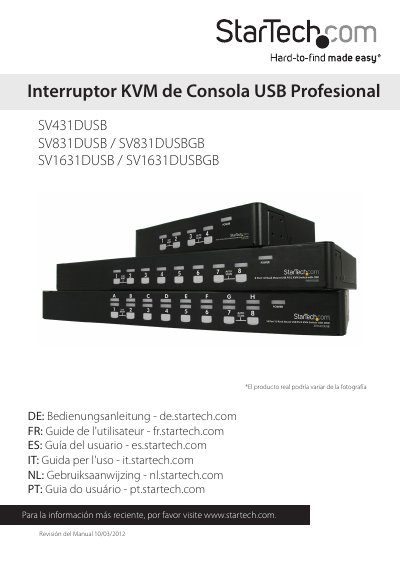
The StarTech professional USB console KVM switch series (SV431DUSB, SV831DUSB, SV1631DUSB) provides reliable management of multiple computers in server rooms or space-limited environments. The switch features an on-screen display (OSD) for monitoring computer names, selection, and status indicators. It supports both USB and PS/2 console connections (except SV431DUSB which is USB-only) and requires StarTech.com ultra-thin KVM cables for computer connections.
Installation includes console setup with a slide switch for USB/PS/2 mode selection, computer connection via USB or PS/2 KVM cables, and cascading configurations where a master switch can control up to 8 slave switches. Operation methods include front-panel buttons, hotkey commands (double/triple left Ctrl), and OSD menu navigation. The manual also details K/M reset, auto-scan, and technical specifications. This manual is written in Spanish.
| Console Connection Types | USB and PS/2 (SV831DUSB, SV1631DUSB); USB only (SV431DUSB) |
|---|---|
| Supported Computer Interfaces | VGA and USB and/or PS/2 |
| Required KVM Cables | StarTech.com SVECONUS (USB 2-in-1) or SVECON (PS/2 3-in-1) |
| Maximum Computers (8-port cascade) | 64 computers with 8 slaves each connected to 8 computers |
| Maximum Computers (16-port cascade) | 136 computers with 8 slaves of 16 ports plus 8 direct to master |
| Cascading Requirement | Slave switches must be set to PS/2 mode via slide switch |
Press buttons 1 and 2 simultaneously for 2 seconds to reconfigure the system without powering off the switch or computers.
Press and hold buttons 7 and 8 simultaneously for 2 seconds (buttons 3 and 4 for SV431DUSB).
No, the SV431DUSB cannot be configured as a slave because it lacks a slide switch for PS/2 mode required for cascading.
Up to 136 computers: 8 slaves of 16 ports each connected to 16 computers, plus 8 computers directly connected to the master.