
User's guide for the Silicon Labs CP2615-EK2 digital audio bridge evaluation kit covering hardware, jumpers, customization, and revision history.
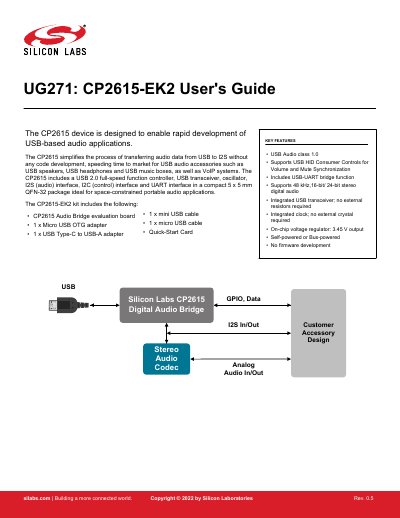
Silicon Labs CP2615-EK2 User's Guide describes the CP2615-EK2 digital audio bridge evaluation kit. The CP2615 device transfers audio data from USB to I2S without code development and is intended for USB audio accessories and VoIP systems.
The guide covers getting started, hardware overview, power-selection and configuration jumpers, device customization, schematics and bill of materials, and board and document revision history.
| USB Audio class | 1.0 |
|---|---|
| USB HID consumer controls | Volume and Mute Synchronization |
| USB-UART bridge function | Included |
| Digital audio | 48 kHz, 16-bit/24-bit stereo |
| Package | 5 x 5 mm QFN-32 |
| On-chip voltage regulator | 3.45 V output |
| Power | Self-powered or bus-powered |
| Firmware development | No firmware development |
Connect the USB micro cable to J11, attach the adapter to an Android phone, connect headphones to J8, and use the buttons to control volume, play, pause, and track skipping.
It supports USB bus-powered or self-powered configurations based on jumper settings.
J15, J16, J13, J14, J21, and optionally J5.
They are available through Simplicity Studio when the kit documentation package has been installed.