
User manual for the One For All URC1242 Essence 4 universal remote control for up to four AV devices.
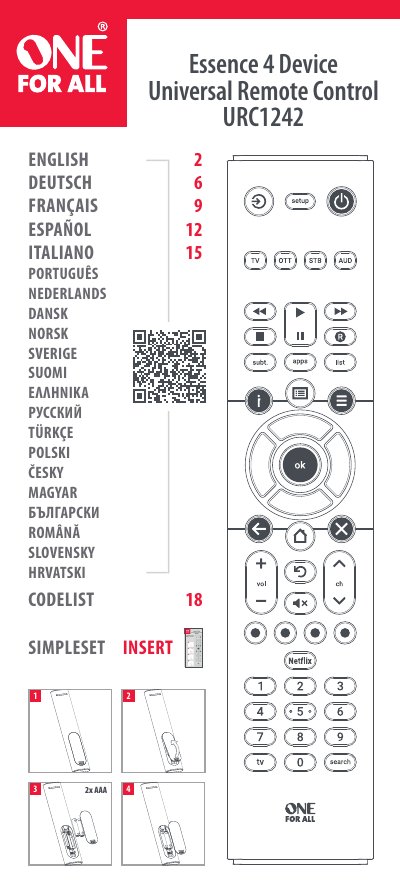
The One For All URC1242 Essence 4 Device Universal Remote Control can control up to four audio/video devices, including TVs, streaming boxes, set-top boxes, and audio devices. It has dedicated device keys plus playback, menu, volume, channel, and input controls.
The manual explains battery installation, key functions, and two setup methods: SimpleSet for common brands and setup by code from the code list. It also lists devices that are pre-programmed out of the box.
| Number of controllable devices | Up to 4 |
|---|---|
| Battery | 2 x AAA / LR03 |
| Recommended battery type | Alkaline |
It can control up to four audio/video devices.
It requires 2 x AAA / LR03 batteries.
Alkaline batteries are recommended.
Turn on the device, press the device key, hold Setup until the LED blinks twice, then hold the digit for your brand until the device reacts.