
Key facts
- Manuals
- 3
- Languages
- ES · EN
- Last added
- 2026-10-30
Featured One for All manuals
One For All URC1210 Universal Remote Control User Manual
This manual explains how to program the One For All URC1210 universal remote control to operate TVs and other devices. It covers entering device codes, using the code search method, and learning functions from other remotes. The remote requires two AAA batteries and uses a red LED to indicate status during setup. Instructions are provided in multiple languages including Spanish, German, French, and English. This manual is written in Spanish.
Covers: Programming Device Codes · Code Search Method · Learning Functions from Other Remotes · Deleting Learned Functions · Battery Requirements
One For All URC 1669 Remote Control Setup Guide
This document provides a simple setup guide for the One For All URC 1669 remote control. It includes instructions on how to set up the remote for a TV and Set Top Box, as well as how to learn functions from an original remote. The guide also covers how to delete learned functions and restore SAT volume.
Covers: How to Delete a Learned Function · How to Restore SAT Volume · Product Disposal · Battery Disposal · Warranty Information · Learn a New Function
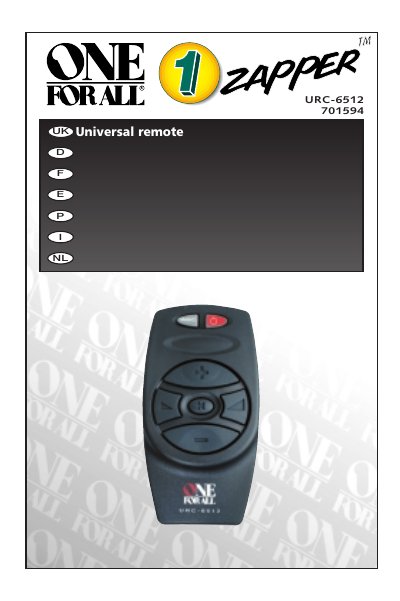
One For All ZAPPER URC-6512 Universal Remote Control User Guide
This user guide explains how to set up and operate the One For All ZAPPER URC-6512 universal remote control. It includes instructions for installing batteries, using direct setup codes, and performing a search method if the direct code fails. The guide also covers advanced functions like controlling color and brightness, scanning channels, and troubleshooting common issues.
The remote is designed to operate televisions and includes a code book with pre-programmed codes for various TV brands. If the TV brand is not listed, users can use the search method to find the correct code. The guide provides step-by-step instructions for each function and includes helpful hints for common problems.
Covers: Installing The Batteries · Features and Functions · Direct Set-Up · Search Method · Code Blink Out · Controlling Colour & Brightness
Latest One for All manuals
One For All URC1210 Universal Remote Control User Manual
User Manual 4 pages · 1.2 MB · ESInstructions for programming the One For All URC1210 remote to control TVs and other devices using codes or learning from other remotes.
One For All URC 1669 Remote Control Setup Guide
User Manual 1 pages · 939 KB · ENSimple setup guide for the One For All URC 1669 remote control covering TV, Set Top Box, and code learning instructions.
One For All ZAPPER URC-6512 Universal Remote Control User Guide
User Manual 22 pages · 236 KB · ENUser guide for One For All ZAPPER URC-6512 universal remote control, covering setup, features, and troubleshooting.
Which document do I need?
User Manual
Day-to-day operation, settings and troubleshooting. Start here if the product is already set up.
Questions answered in One for All manuals
What if the device code doesn't work?
Try another code for your brand or use the code search method to find the correct code.
From: One For All URC1210 Universal Remote Control User Manual
What batteries does the One For All URC1210 require?
Requires 2 new AAA Batteries.
From: One For All URC1210 Universal Remote Control User Manual
What is the warranty period for this product?
The product is warranted to be free from defects in materials and workmanship for one year from the date of original purchase.
How long does the learning process take?
The procedure to learn functions may take up to 15 minutes.
How do I set up the ZAPPER for my television?
Find your TV code in the Set-Up Code section, press and hold the MAGIC key until the POWER key blinks twice, enter your 5-digit code, aim the remote at your TV and press POWER. If the TV switches off, the ZAPPER is ready.
From: One For All ZAPPER URC-6512 Universal Remote Control User Guide
How do I find out which code the ZAPPER used after using the Search Method?
Press and hold the MAGIC key until the POWER key blinks twice, then press Programme(-), Programme(-), Programme(+). For each digit, press the corresponding key (Volume +, Volume -, Programme +, Programme -, Mute) and count the red blinks.
From: One For All ZAPPER URC-6512 Universal Remote Control User Guide