
Music Tribe M32 LIVE digital console quick start guide covering 40 input channels, 32 Midas PRO microphone preamps, 25 mix buses and live multitrack recording.
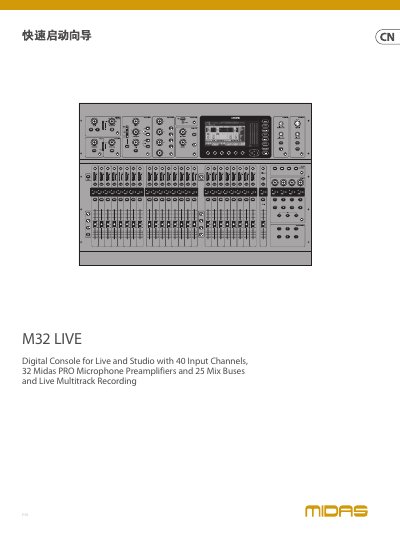
The M32 LIVE is a digital console for live and studio use, described in this quick start guide as having 40 input channels, 32 Midas PRO microphone preamplifiers, 25 mix buses and live multitrack recording. The document is version 3.0 and its text is in Chinese.
The guide covers important safety instructions, warranty and legal statements, the control panel, and the rear panel. The control panel section explains areas such as CONFIG/PREAMP, GATE/DYNAMICS, EQUALISER, BUS SENDS, RECORDER, MAIN BUS, MAIN DISPLAY, MONITOR, TALKBACK, SCENES, ASSIGN, MUTE GROUPS, INPUT CHANNELS, GROUP/BUS CHANNELS and MAIN CHANNEL. The rear panel section describes monitor/control room outputs, outputs 1-16, inputs 1-32, power, the DN32-LIVE interface card, remote control inputs, MIDI in/out, AES/EBU out, ULTRANET, AES50 A/B and AUX in/out. This manual is written in Chinese.
| Input channels | 40 |
|---|---|
| Microphone preamplifiers | 32 Midas PRO |
| Mix buses | 25 |
| Recording | Live multitrack recording |
| DN32-LIVE SD/SDHC recording capacity | Up to 32 channels |
The M32 LIVE has 40 input channels.
The DN32-LIVE interface card can record up to 32 channels to an SD/SDHC card.
Connect the talkback microphone through the EXT MIC socket using a standard XLR cable.
Most M32 controls can be edited and monitored through the main display, and it also provides access to more than 60 virtual effects.