
This quick start guide covers safety, installation, cleaning, and maintenance for the Music Tribe SD251-CL studio monitoring earphones.
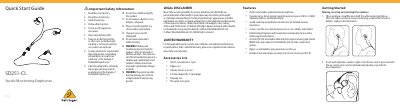
The document serves as a quick start guide for the Music Tribe SD251-CL Studio Monitoring Earphones. It provides essential safety information regarding battery disposal and hearing protection, along with instructions on wearing, inserting, and removing the device to ensure an optimal seal in the ear canal.
The guide details how to choose and install interchangeable silicone sleeves of three sizes for a secure fit. It also includes procedures for cleaning the nozzle using the included tool and general maintenance tips such as keeping the product dry and inspecting sleeves for damage.
| Driver size | 6.8 mm |
|---|---|
| Impedance | 22 Ω |
| Frequency response | 20 Hz to 20 kHz |
| Sound pressure level (SPL) | 93 dB @ 1 kHz (105 dB peak) |
| Rated power | 3 mW |
| Peak power | 5 mW |
| Connector type | MMCX connector, detachable |
| Cable length | 1.6 m (63") |
The dynamic micro-driver provides a wide frequency response from 20 Hz to 20 kHz.
The product should be charged at least once a month to maintain performance.