
LogTag data logger guide explaining out of range temperature alarms, how the ALARM display works, and the steps to take when an alarm appears.
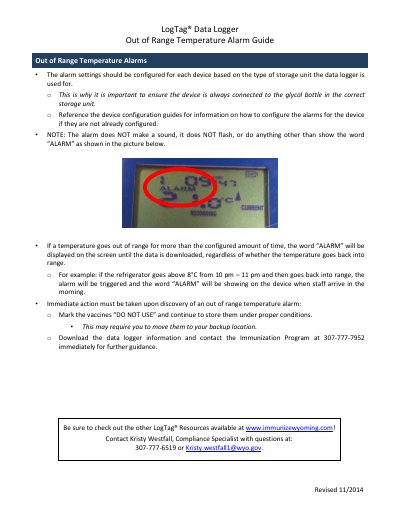
This one-page LogTag guide (revised 11/2014) explains how out of range temperature alarms work on a LogTag data logger. Alarm settings should be configured for each device based on the type of storage unit the logger is used for, which is why the device should always be connected to the glycol bottle in the correct storage unit; the device configuration guides describe how to configure the alarms.
The alarm does not make a sound and does not flash; it only shows the word "ALARM" on the screen. If a temperature goes out of range for longer than the configured time, the word stays displayed until the data is downloaded, even if the temperature returns to range. The guide then lists the immediate actions to take: mark the vaccines "DO NOT USE", keep them stored under proper conditions (moving them to a backup location if needed), download the data logger information and contact the Immunization Program at 307-777-7952 for further guidance.
No. The alarm does not make a sound and does not flash; it does nothing other than show the word "ALARM" on the screen.
It is displayed until the data is downloaded, regardless of whether the temperature goes back into range.
Mark the vaccines "DO NOT USE", continue to store them under proper conditions, then download the data logger information and contact the Immunization Program at 307-777-7952 immediately for further guidance.
If the refrigerator goes above 8°C from 10 pm to 11 pm and then returns into range, the alarm is triggered and "ALARM" is showing when staff arrive in the morning.