
Step-by-step guide for preparing a LogTag data logger and glycol probe, configuring it in LogTag Analyzer, and starting refrigerator temperature recording.
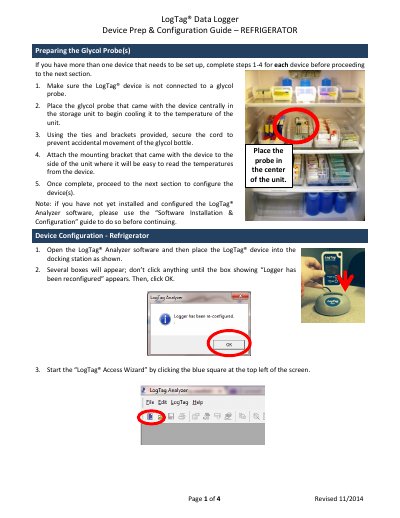
This four-page guide explains how to prepare a LogTag Data Logger and glycol probe for refrigerator temperature monitoring. It covers placing and securing the glycol probe, attaching the mounting bracket, and configuring the device in LogTag Analyzer.
The guide then describes using the LogTag Access Wizard, setting the temperature display to Celsius, marking the device, and starting recording.
| Temperature display unit | Celsius |
|---|---|
| Recommended glycol storage time | At least 2–4 hours |
The guide recommends storing the glycol in the storage unit for at least 2–4 hours to ensure it is within proper vaccine storage temperatures.
The temperature display unit needs to be set to Celsius.
The device should show “Ready” as well as the current time on its display.
Remove the device from the docking station, unplug the docking station from the USB port, and plug it into an alternate USB port if one is available.