
The JVC RD‑N327A portable CD player user manual provides setup, operation, Bluetooth pairing, and safety instructions.
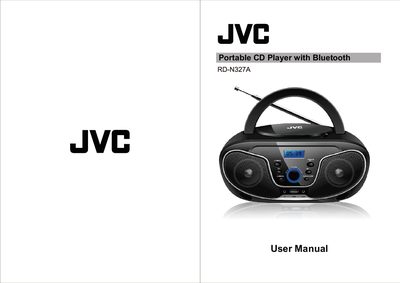
This manual begins with safety warnings and important precautions for the JVC RD‑N327A portable CD player, covering electrical safety, battery handling, and proper ventilation. It also outlines the required power sources, including AC input (100‑240V) and four C‑size batteries (not included).
The guide then details how to operate the device: powering on, playing CDs, tuning FM radio, using the auxiliary input, connecting Bluetooth devices, and playing audio from a USB memory stick. Control button functions and their symbols are explained, along with step‑by‑step procedures for each audio source.
| Input voltage | 100‑240V AC, 50/60Hz |
|---|---|
| Output power | 2 x 4W |
| Battery type | 4 x C batteries (not included) |
| Net weight | 1.20 KG |
Press the EQ/MODE button repeatedly until Bluetooth mode appears, enable Bluetooth on your phone or tablet, search for “RD‑N327A”, and select it to connect.
The unit requires four C‑size batteries, which are not included with the product.
Connect the USB memory stick, press the EQ/MODE button until USB mode is selected, then press Play/Pause; only MP3 format files are supported.
Select FM mode with the EQ/MODE button, extend the FM antenna for better reception, and use the PREV/TUN‑ and NEXT/TUN+ buttons to change stations.