
Quick start guide for assembling, powering up, and installing software for the Freescale Xtrinsic MMA865xFC accelerometer sensor toolbox board.
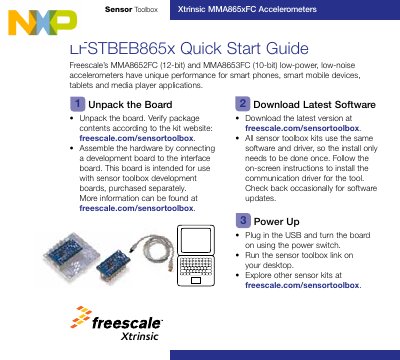
Freescale Xtrinsic MMA865xFC Accelerometer Quick Start Guide describes how to unpack, assemble, and power up the sensor toolbox board for the MMA8652FC and MMA8653FC accelerometers. It also explains where to download the shared sensor toolbox software and driver and how to install the communication driver.
The guide covers hardware connection to a separately purchased sensor toolbox development board, USB power-up, running the sensor toolbox link, and exploring other sensor kits. The accelerometers are described as low-power, low-noise devices for smart phones, smart mobile devices, tablets, and media player applications.
| Accelerometer resolution | MMA8652FC: 12-bit; MMA8653FC: 10-bit |
|---|---|
| Accelerometer characteristics | Low-power, low-noise |
| Development board | Freescale MC9S08QE8CWL |
| Kit number | LFSTBEB865x |
Download the latest version at freescale.com/sensortoolbox.
All sensor toolbox kits use the same software and driver, so the install only needs to be done once.
Plug in the USB and turn the board on using the power switch.
Freescale's MMA8652FC (12-bit) and MMA8653FC (10-bit) low-power, low-noise accelerometers.